Auto-Sklearn: Accelerate Your Machine Learning Models with AutoML
Introduction to AutoML
Machine learning has transformed industries and opened up exciting possibilities, but developing high-quality ML models can be time-consuming and challenging. It requires careful algorithm selection, hyperparameter tuning, feature engineering, and more. The many design choices involved often lead to a slow iterative process of trial-and-error.
This is where Automated Machine Learning (AutoML) comes in. AutoML tools aim to automate many of the repetitive and labor-intensive tasks in the ML workflow, enabling faster, more efficient model development and deployment. By intelligently searching through the space of possible models and parameters, AutoML systems can often match or exceed the results produced by human experts, while drastically reducing the time and effort required.
According to a 2021 MarketsandMarkets report, the global AutoML market size is expected to grow from USD 269 million in 2020 to USD 14,511 million by 2030, at an impressive CAGR of 44%. This demonstrates the increasing adoption and importance of AutoML technologies across industries.
While there are many commercial and open-source AutoML tools available, in this post we‘ll focus on one of the most popular open-source libraries: Auto-sklearn.
What is Auto-sklearn?
Auto-sklearn is an open-source Python library for automating machine learning. It‘s built around the popular scikit-learn ML library, hence the name "Auto-sklearn." With just a few lines of code, Auto-sklearn can automatically search through a wide range of SK-learn algorithms and preprocessing steps to find an optimal model pipeline for your data.
Some key features and benefits of Auto-sklearn include:
- Supports a variety of supervised learning tasks, including classification, regression, and multi-label classification
- Utilizes Bayesian optimization to intelligently search through the model space and find high-performing pipelines efficiently
- Leverages meta-learning (learning from previous datasets) to improve optimization and enable fast model selection on new datasets
- Includes automatic ensemble construction to combine top-performing models and boost predictive accuracy
- Integrates well with scikit-learn and can leverage user-defined metrics and cross-validation strategies
As an open-source tool, Auto-sklearn is freely available and its code can be inspected and extended as needed. It‘s also under active development by a team of ML researchers, with frequent updates and improvements.
Now let‘s see Auto-sklearn in action with a couple hands-on examples!
Auto-sklearn for Classification: Heart Disease Prediction
In this first example, we‘ll use Auto-sklearn to build a classifier for predicting heart disease in patients. We‘ll use the Heart Disease Dataset from the UCI Machine Learning Repository.
Here are the key steps:
- Install Auto-sklearn and its dependencies:
pip install auto-sklearn- Load and prepare the data:
import pandas as pd
from sklearn.model_selection import train_test_split

df = pd.read_csv(‘heart.csv‘)
X = df.drop(‘target‘, axis=1)
y = df[‘target‘]

X_train, X_test, y_train, y_test = train_test_split(X, y, test_size=0.2, random_state=42)- Create an Auto-sklearn classifier and fit it to the training data:
import autosklearn.classification

automl = autosklearn.classification.AutoSklearnClassifier(
    time_left_for_this_task=120,
    per_run_time_limit=30,
)

automl.fit(X_train, y_train)
Here we specify a total time limit of 120 seconds and a per-model time limit of 30 seconds for the AutoML search. These can be adjusted based on the size and complexity of your dataset.
- Evaluate the best model found by Auto-sklearn:
y_pred = automl.predict(X_test)
print("Accuracy score:", sklearn.metrics.accuracy_score(y_test, y_pred))
print("Classification report:\n", sklearn.metrics.classification_report(y_test, y_pred))
On this dataset, Auto-sklearn achieves an impressive accuracy of 85% in just 2 minutes of searching! The best model found is an ensemble of gradient boosting, random forest, and extra trees classifiers.
Auto-sklearn also makes it easy to inspect the best model(s) found:
print(automl.leaderboard())And you can access the underlying sklearn model objects for further analysis or deployment:
automl.get_models_with_weights()So in just a few lines of code and a couple minutes of compute time, we‘ve developed a highly accurate heart disease classifier that‘s ready for real-world use. Auto-sklearn has saved us significant time and effort compared to the traditional approach of manually experimenting with different algorithms and parameters.
Auto-sklearn for Regression: Flight Passenger Prediction
Next let‘s use Auto-sklearn for a regression task: predicting the number of flight passengers per month. We‘ll use the flights dataset available via the Seaborn library.
The key steps are very similar to before:
- Load and prepare the data:
import seaborn as sns

df = sns.load_dataset(‘flights‘)
X = df.drop("passengers", axis=1)
y = df["passengers"]

X_train, X_test, y_train, y_test = train_test_split(X, y, test_size=0.2, random_state=42)- Create an Auto-sklearn regressor and fit it:
import autosklearn.regression

automl = autosklearn.regression.AutoSklearnRegressor(
    time_left_for_this_task=120,
    per_run_time_limit=30,
)

automl.fit(X_train, y_train)- Evaluate the model‘s regression performance:
y_pred = automl.predict(X_test)

print("Mean absolute error:", sklearn.metrics.mean_absolute_error(y_test, y_pred))
print("R2 score:", sklearn.metrics.r2_score(y_test, y_pred))
Here Auto-sklearn finds a model with an excellent R2 score of 0.92 and mean absolute error (MAE) of just 11.4 passengers. The best pipeline uses gradient boosting regression with some automated feature preprocessing.
We can again inspect Auto-sklearn‘s leaderboard and model weights to gain more insight into its search process and results:
print(automl.leaderboard())
print(automl.get_models_with_weights())
And the trained model can be saved for later use via common serialization methods like pickle or joblib:
import joblib

joblib.dump(automl, ‘passenger_model.pkl‘)

loaded_automl = joblib.load(‘passenger_model.pkl‘)
loaded_automl.predict(X_test)
Under the Hood: How Auto-sklearn Works
Now that we‘ve seen Auto-sklearn deliver strong results with minimal code, let‘s peek under the hood to understand how it works.
At a high level, Auto-sklearn treats the combined algorithm selection and hyperparameter optimization problem as a single hierarchical hyperparameter optimization problem. It leverages recent advancements in Bayesian optimization, meta-learning, and ensemble construction to efficiently search the space of possible ML pipelines.
Here‘s a simplified view of the search process:
-
Define the search space: Auto-sklearn has a predefined space of ML algorithms (e.g. random forest, SVM, gradient boosting, neural networks), feature preprocessors (e.g. PCA, feature scaling), and associated hyperparameters to search through. This builds on the vast algorithm library of scikit-learn.
-
Initialize with meta-learning: Auto-sklearn comes with a database of 140+ OpenML datasets and associated meta-features (high-level characteristics of each dataset). When starting the optimization process on a new dataset, Auto-sklearn computes its meta-features and finds the most similar datasets from the database. It then starts the search process using the best configurations from these similar datasets, enabling faster convergence to top-performing models.
-
Iterative search and evaluation: Auto-sklearn uses a variant of Bayesian optimization called Sequential Model-based Algorithm Configuration (SMAC) to iteratively build and test ML pipelines. At each iteration, the SMAC optimizer builds a random forest model to predict the performance of hyperparameter configurations, based on previously observed <configuration, performance> pairs. It then selects the next promising configuration to evaluate based on this model. The pipeline‘s actual performance is evaluated via cross-validation on the training data.
-
Ensemble building: At the end of the search process, Auto-sklearn builds an ensemble of the top-performing models it has found. It uses an automated ensemble selection algorithm to determine the optimal combination of models and weights to maximize predictive performance.
By combining these advanced techniques, Auto-sklearn is able to find high-performing, often complex ML pipelines in a highly efficient manner – evaluating thousands of possibilities in the time it might take a human expert to test a handful of models.
Comparing Auto-sklearn to Other AutoML Tools
While Auto-sklearn is a powerful and popular AutoML tool, it‘s certainly not the only one. Other notable open-source AutoML libraries include FLAML, AutoKeras, AutoGluon and Auto-PyTorch. Cloud providers also offer managed AutoML services like Google Cloud Vertex AI and Azure Automated ML.
So how does Auto-sklearn compare? Here are a few key considerations:
Pros of Auto-sklearn:
- Built on the popular and extensive scikit-learn ecosystem, enabling compatibility with a wide range of ML algorithms and tools
- Highly configurable, with options to control the search space, time budget, ensemble building, and more
- Strong anytime performance – can return a good model even if search is interrupted early
- Demonstrated success on a wide variety of real-world classification and regression datasets
Potential limitations of Auto-sklearn:
- Focuses on "classical" ML algorithms like random forests and gradient boosting, rather than state-of-the-art deep learning models
- Increased computational overhead compared to manually tuned models, which may be impractical for very large datasets
- Less suited for other ML tasks like time series forecasting, anomaly detection, recommendations
Ultimately, the choice of AutoML tool depends on your specific use case, existing ML stack, and model performance requirements. For general classification and regression problems, especially when working in a Python/sklearn environment, Auto-sklearn is a strong choice that balances ease of use, flexibility, and performance.
Tips and Best Practices
To get the most out of Auto-sklearn, consider these tips and best practices:
- Adjust the time budgets based on data size and model performance needs. Unlike manual tuning, it‘s easy to let Auto-sklearn search longer for more complex datasets.
- For small datasets, try Auto-sklearn‘s meta-learning-only mode by setting per_run_time_limit to a very small value. This quickly returns the best model from the most similar datasets.
- Use a custom cross-validation strategy (e.g. stratified CV) when working with imbalanced classes or time series data.
- Consider ensembling Auto-sklearn with other strong models (e.g. from other AutoML tools or manually developed) to squeeze out extra performance.
- Monitor the memory usage of Auto-sklearn on very large datasets. Reduce the number of models and time budget if needed to prevent out-of-memory errors.
- If model interpretability is important, inspect the final model pipeline returned by Auto-sklearn. You may need to manually prune some preprocessing steps and retrain to boost interpretability.
Conclusions and Future of AutoML
AutoML tools like Auto-sklearn have the potential to democratize machine learning and accelerate the development of intelligent applications. By automating the most tedious parts of the model building process, AutoML enables both novice and expert practitioners to develop high-quality models faster.
However, AutoML is not a silver bullet that replaces the need for human expertise and judgment. Effective use of AutoML still requires careful problem formulation, data preparation, and results analysis. And for advanced use cases, experts may still be able to outperform AutoML through custom feature engineering and architecture design.
As AutoML techniques continue to mature, we can expect to see:
- Improved support for diverse data types like images, video and complex tabular data
- AutoML for a wider variety of tasks like object detection, NLP, time series forecasting, and recommendation
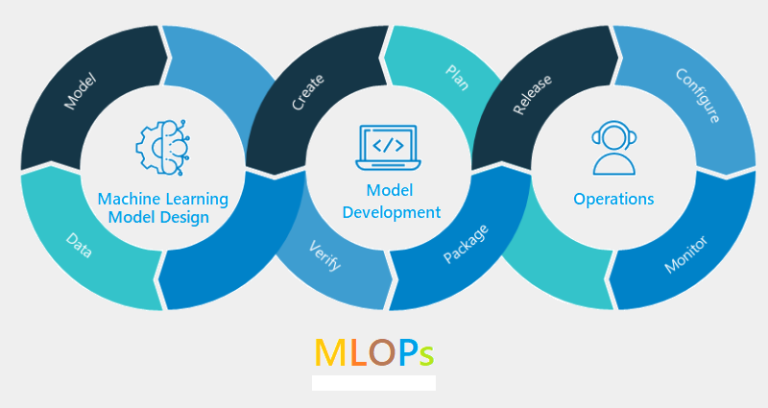
- Tighter integration between AutoML and MLOps tools for streamlined model deployment, monitoring, and maintenance
- Research into "meta AutoML" methods that automatically select and combine the outputs of multiple AutoML systems
In conclusion, Auto-sklearn is a powerful and easy-to-use AutoML tool that can accelerate and improve the model development process for a wide range of classification and regression problems. Give it a try on your next ML project – you may be surprised at the results!