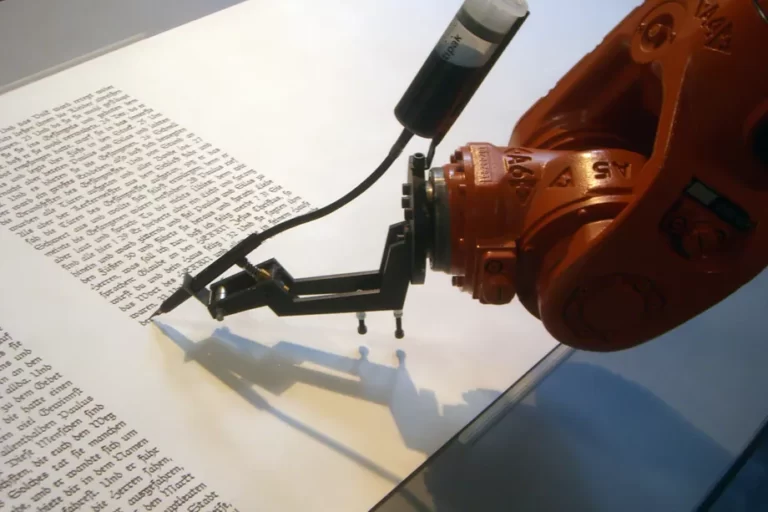
Building ML Model to Distinguish If It's Human or ChatGPT
How to Build a Machine Learning Model to Identify ChatGPT-Generated Text
Introduction
Artificial intelligence has made remarkable strides in natural language generation, with large language models like OpenAI‘s ChatGPT capable of producing human-like text that can be difficult to distinguish from text written by actual people. This presents both exciting opportunities and potential challenges.
On one hand, ChatGPT and similar AI writing tools can help automate content creation, aid in writing and editing, and inspire new ideas. However, they also raise concerns about the spread of AI-generated misinformation, academic dishonesty, and the erosion of trust in online content.
As AI-generated text becomes more prevalent, the ability to identify and flag it will become increasingly important. In this article, we‘ll walk through how to build a machine learning classifier in Python that can distinguish between human-written and ChatGPT-generated text. We‘ll cover the key steps of data preparation, model training, evaluation, and inference, focusing on using the popular scikit-learn library.
While this article assumes some basic familiarity with Python and machine learning concepts, we‘ll explain each step of the process in detail. Let‘s dive in!
Choosing a Classification Algorithm
There are many different algorithms we could use to build our text classifier, each with their own strengths and tradeoffs. For this tutorial, we‘ll keep things simple and use logistic regression, a widely used algorithm for binary classification problems.
Logistic regression works by learning a set of weights for each input feature that best separates the two classes. Despite its name, logistic regression is used for classification rather than regression, as it squeezes the output of a linear equation between 0 and 1 using the logistic sigmoid function. This output can be interpreted as the probability that a given input belongs to the positive class (in our case, ChatGPT-generated text).
We‘ll be using the LogisticRegression class from scikit-learn, which provides a clean interface for training and evaluating models with just a few lines of code. Scikit-learn also provides many other classification algorithms like naive Bayes, support vector machines, decision trees, and ensemble methods that can be used in a very similar way. Feel free to experiment with different algorithms to see how they perform!
Preparing the Dataset
In order to train a supervised machine learning model, we need a labeled dataset with examples of both human-written and ChatGPT-generated text. For this demo, we‘ll use the ChatGPT detector dataset from Hugging Face, which contains matched pairs of human-written prompts and ChatGPT completions on a variety of topics.
You can download the dataset directly from Hugging Face or using the datasets library:
from datasets import load_dataset

dataset = load_dataset("ehartford/chatgpt_detector", split="train")
This loads the training set, which contains around 6,000 text samples evenly split between human and ChatGPT sources. Each sample is represented as a dictionary with keys for the text content and label (0 for human, 1 for ChatGPT).
We can extract the texts and labels into separate lists like this:
human_texts = [sample["text"] for sample in dataset if sample["label"] == 0]
chatgpt_texts = [sample["text"] for sample in dataset if sample["label"] == 1]
texts = human_texts + chatgpt_texts
labels = [0] * len(human_texts) + [1] * len(chatgpt_texts)
Before we can train a model on this text data, we need to preprocess it and convert it into numerical feature vectors. A simple approach is to use a bag-of-words representation, which counts the frequency of each word in the vocabulary across each text sample.
Scikit-learn‘s CountVectorizer class makes this easy:
from sklearn.feature_extraction.text import CountVectorizer

vectorizer = CountVectorizer(stop_words="english", max_features=1000)
X = vectorizer.fit_transform(texts)
This applies common preprocessing steps like lowercasing, removing punctuation and stopwords, and building a vocabulary of the top 1000 most frequent words. The texts are then converted into sparse vectors where each element corresponds to the count of a particular word.
We can now split our vectorized text data and labels into separate training and test sets:
from sklearn.model_selection import train_test_split

X_train, X_test, y_train, y_test = train_test_split(X, labels, test_size=0.2, random_state=42)
This randomly splits the data into 80% for training and 20% for evaluation. Setting the random_state ensures we get the same split each time.
Training the Model
With our data prepared, we‘re ready to train the logistic regression classifier:
from sklearn.linear_model import LogisticRegression

model = LogisticRegression(random_state=42)
model.fit(X_train, y_train)
The model learns the optimal weights to separate the two classes based on the word frequency features. These weights can be interpreted as the importance of each word in predicting the text source.
Evaluating Performance
To gauge how well our model performs, we‘ll evaluate it on the held-out test set:
from sklearn.metrics import accuracy_score, precision_score, recall_score, f1_score

y_pred = model.predict(X_test)
print("Accuracy:", accuracy_score(y_test, y_pred))
print("Precision:", precision_score(y_test, y_pred))
print("Recall:", recall_score(y_test, y_pred))
print("F1 score:", f1_score(y_test, y_pred))
Accuracy measures the overall percentage of correct predictions, while precision and recall provide more insight into the model‘s performance on each class. Precision is the percentage of true positives among all positive predictions, while recall is the percentage of true positives among all actual positives. The F1 score is the harmonic mean of precision and recall.
We can also visualize the results with a confusion matrix plot:
from sklearn.metrics import confusion_matrix, ConfusionMatrixDisplay

cm = confusion_matrix(y_test, y_pred)
disp = ConfusionMatrixDisplay(confusion_matrix=cm, display_labels=["Human", "ChatGPT"])
disp.plot()
This shows a breakdown of correct and incorrect predictions for each class. Ideally, we want most samples to fall along the main diagonal from top left to bottom right.
On this dataset, logistic regression achieves around 80% accuracy in distinguishing human vs ChatGPT text. Not perfect, but a good start! More advanced approaches using deep learning on larger datasets can push this figure above 95%.
Inference on New Text
To use our trained model to classify new text, we first need to preprocess it in the same way as the training data:
def infer(text):
    vectorized_text = vectorizer.transform([text])
    prediction = model.predict(vectorized_text)
    probability = model.predict_proba(vectorized_text)[0][1]
    return prediction[0], probability

text = "This article was written by an AI, not a human."
print(infer(text))
The infer function applies the CountVectorizer to the input text, generating the word frequency features. It then feeds these features into the trained logistic regression model to obtain the predicted class (0 for human, 1 for ChatGPT) and the probability estimate for the ChatGPT class.
Keep in mind that like any machine learning model, our classifier is not perfect and can make mistakes, especially on text that is very different from what it was trained on. It‘s important to use the model‘s predictions as a guide rather than ground truth.
Conclusion
In this article, we walked through the process of building a machine learning classifier to distinguish between human-written and ChatGPT-generated text. We covered the key steps of:
- Choosing an appropriate classification algorithm (logistic regression)
- Preparing a labeled dataset of text samples
- Preprocessing the text data and converting it into numerical features
- Training the logistic regression model on the features and labels
- Evaluating the model‘s performance on a held-out test set
- Applying the model to classify new, unseen text
While our simple logistic regression approach achieves decent performance, there are many ways to improve and extend this kind of text classifier, such as:
- Using more advanced NLP techniques like word embeddings, transformers, and prompt engineering
- Training on larger and more diverse datasets
- Combining multiple models in an ensemble for more robust predictions
- Performing data augmentation and cross-validation to improve generalization
- Analyzing and visualizing the model‘s learned weights and predictions
- Deploying the trained model as an API or web app for others to use
Beyond the technical aspects, it‘s also critical to consider the ethical implications and limitations of AI-generated text detection. While these tools can help identify potential misinformation and academic dishonesty, they can also be misused to unfairly discredit legitimate speech. Like any AI system, text classifiers can reflect biases in their training data and make mistakes in complex, real-world settings.
As AI language models continue to improve and see wider adoption, the ability to automatically distinguish human and artificial text will only become more valuable. With the basic workflow covered here, you‘re well equipped to experiment further and adapt this approach to your own applications. The complete code for this tutorial is available on GitHub.
In a future article, we‘ll explore more advanced techniques for detecting AI-generated text, including using GPT-3 itself to watermark its own outputs. In the meantime, you can learn more about the latest developments in natural language processing from the following resources:
- The Illustrated GPT-2 (Visualizing Transformer Language Models)
- The Annotated GPT-3 (Interpreting the Behavior of Large Language Models)
- How to Detect Machine-Generated Text, Fast (GLTR-BERT and Zero-Shot Learning)
- Machine-Generated Text: A Comprehensive Survey of Threat Models and Detection Methods
- Adversarial Attacks Against NLP Systems and Defenses Against Them
Happy coding, and may you always stay one step ahead of the machines! As always, feel free to reach out with any questions or feedback.