Visualizing How Machine Learning Classifiers Make Decisions: Plotting Decision Surfaces in Python
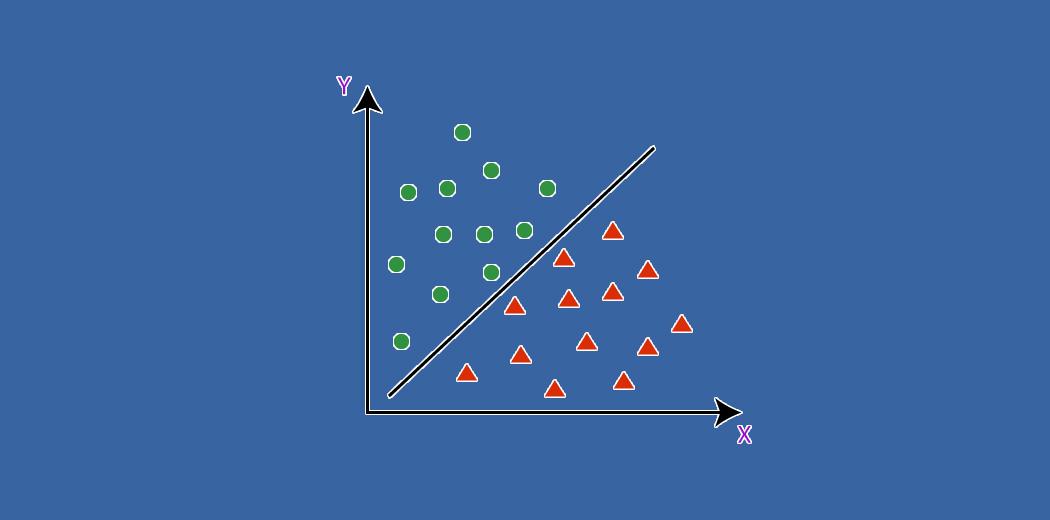
Machine learning classification algorithms like logistic regression, support vector machines, decision trees, and neural networks are powerful tools for predicting which category an input belongs to. However, it‘s not always easy to understand how these models arrive at their predictions just by looking at the model parameters or performance metrics. This is where decision surfaces come in – by visualizing how a trained classifier partitions the input feature space into decision regions, we can gain valuable insight into its underlying decision-making process.
In this blog post, we‘ll take an in-depth look at what decision surfaces are, how different classification algorithms partition the input space, and how you can easily plot decision surfaces for any classifier using Python. We‘ll walk through the process step-by-step with code examples, and show visualizations for a variety of algorithms on synthetic datasets to build intuition. By the end, you‘ll have a solid understanding of this important tool for peeking inside the "black box" of machine learning models.
What is a Decision Surface?
Put simply, a decision surface is a plot that shows how a trained classification model will predict the class label for any possible input. For a model with two input features, the decision surface is a 2D plot where each point represents a possible combination of feature values, and is color-coded according to which class the model predicts for that input. The regions of differing colors are called the "decision regions", and the boundaries between them are the "decision boundaries".
Decision surfaces provide a powerful way to visualize the complex decision-making processes of machine learning models. By examining a model‘s decision surface, we can learn about the shape and location of its decision boundaries, how it handles outliers or ambiguous inputs, where it may be underfitting or overfitting the training data, and more. They offer a complementary perspective to performance metrics like accuracy and F1 score.
How Different Algorithms Partition the Input Space
Different classification algorithms make very different assumptions about the shape of the decision boundaries between classes. Some key examples:
- Logistic Regression assumes linear decision boundaries, leading to straight lines separating the classes
- Support Vector Machines can learn linear or nonlinear boundaries depending on the kernel function used
- Decision Trees partition the input space into rectangular regions with axis-aligned boundaries
- Neural Networks can learn highly nonlinear and intricate decision boundaries
- k-Nearest Neighbors predicts the class of a point based on the majority class of the k points nearest to it
It‘s important to have a rough intuition for how each algorithm "carves up" the input space, as this informs which algorithms may be a good fit for a given problem, and what their decision surfaces may look like. Plotting the actual surfaces for a trained model lets us validate our intuitions and check for unexpected behavior.
Plotting Decision Surfaces in Python
Now let‘s dive into the code for plotting a decision surface in Python. We‘ll assume you have already trained a classifier model using scikit-learn or a similar library. The high-level steps are:
- Create a grid of points covering the range of the two input features you want to plot
- Use the trained model to predict the class label for each point in the grid
- Color-code each prediction and plot the results as a contour plot
Here‘s the code to accomplish this:
import numpy as np
import matplotlib.pyplot as plt

def plot_decision_surface(model, X, y):
    # Create a mesh of points to plot
    x_min, x_max = X[:, 0].min() - 1, X[:, 0].max() + 1
    y_min, y_max = X[:, 1].min() - 1, X[:, 1].max() + 1
    xx, yy = np.meshgrid(np.arange(x_min, x_max, 0.02),
                         np.arange(y_min, y_max, 0.02))

    # Predict the class label for each point in the mesh
    Z = model.predict(np.c_[xx.ravel(), yy.ravel()])
    Z = Z.reshape(xx.shape)

    # Plot the contour and scatter with class labels
    plt.contourf(xx, yy, Z, alpha=0.8)
    plt.scatter(X[:, 0], X[:, 1], c=y, s=20, edgecolor=‘k‘)
    plt.show()
Let‘s break this down step-by-step:
-
First we determine the range of values to plot for the two input features, adding some padding on both ends. We then use
np.meshgrid()to create two 2D arraysxxandyyrepresenting every combination of points to plot. -
Next we pass the mesh points to the trained model‘s
predict()method to get the predicted class label for each point. Thenp.c_[]function concatenates thexxandyyarrays into the expected shape for the model input. We then reshape the predictions array to match the shape ofxxandyy. -
Finally, we use matplotlib to plot the contour map of the decision regions with
plt.contourf(), and overlay a scatter plot of the original data points color-coded by their true class labels. Thealphaparameter sets the transparency of the decision regions.
That‘s all there is to it! You can now use this plot_decision_surface function for any trained classifier with two input features. Simply pass the model instance, the feature matrix X, and the target vector y.
Here‘s an example usage, assuming we‘ve already defined and trained models for logistic regression, SVM, decision tree, and neural network:
from sklearn.datasets import make_moons
X, y = make_moons(noise=0.3, random_state=0)

plt.figure(figsize=(16, 4))
for i, model in enumerate([log_reg, svm, tree, nn]):
    plt.subplot(1, 4, i+1)
    plot_decision_surface(model, X, y)
    plt.title(type(model).__name__)

plt.show()
This code generates a synthetic "moons" binary classification dataset using scikit-learn‘s make_moons function, then plots the decision surfaces for four different models in a row. Here‘s an example output:

Even on this simple dataset, the decision surfaces reveal interesting differences between the models. Logistic regression carves a linear boundary, struggling to separate the classes. SVM does better with a nonlinear boundary thanks to the RBF kernel. The decision tree creates jagged, rectangular decision regions. The neural network learns a relatively smooth nonlinear boundary that fits the data well.
Advantages and Limitations
As we‘ve seen, decision surfaces offer an intuitive way to visualize the decision-making process of classification models. They can reveal insights that are not apparent from performance metrics alone, such as:
- The overall shape and complexity of the decision boundaries
- Regions of the input space where the model is very confident vs. uncertain
- Potential overfitting, underfitting, or "blind spots" in the model‘s understanding
- How the model handles outliers, ambiguous examples, or examples near the decision boundaries
- The relative importance the model assigns to different input features
However, decision surface plots do have some significant limitations to keep in mind:
- They can only display two input features at a time. While you could make a separate plot for every pair of features, this becomes increasingly cumbersome for high-dimensional datasets.
- Generating the plot requires making predictions for every point in a dense grid, which can be very computationally expensive for large grids or slow models. The plotting code we showed is not optimized for speed.
- They show hard class label predictions, but not the probabilities or confidence scores behind them. This means regions of high model uncertainty may not be apparent in the plot.
Extensions and Alternatives
There are several ways you can extend or improve upon the basic decision surface plot:
-
Plot the predicted class probabilities instead of just the class labels. This can reveal more nuance in the model‘s predictions, especially near the decision boundaries. Just use
model.predict_proba()instead ofmodel.predict()and map the probabilities to a color scale. -
Use dimensionality reduction techniques like PCA or t-SNE to project high-dimensional data into 2D before plotting the decision surface. This can provide an approximate global view of the decision surface in cases where we have more than 2 input features.
-
Optimize the code to use a coarser grid and interpolation for faster plotting. Scikit-learn actually provides a
plot_decision_function()method that does this. -
Interactive decision surface plots that let you click on specific points to see their feature values and prediction probabilities. This can be accomplished with plotting libraries like Bokeh or Plotly.
Conclusion
In this post, we took a deep dive into decision surfaces – a powerful tool for visualizing how machine learning classification models make their predictions. We saw how different algorithms carve up the input space in very different ways, and how those differences are reflected in the decision surface plots.
We walked through the code to generate decision surface plots using matplotlib and numpy, and showed some examples of what the plots reveal about model behavior. While decision surfaces have some limitations, they offer an intuitive and often illuminating perspective on what models are really learning from the data.
The natural next steps are to try plotting decision surfaces for your own models and datasets, and to explore some of the extensions and alternatives we covered. You‘ll likely gain insights that you wouldn‘t have discovered through metrics alone.
At the end of the day, decision surfaces are a valuable tool in the machine learning practitioner‘s toolbox for peeking inside the "black box" and building better, more interpretable models. I hope this post has equipped you to start using them effectively in your own work.