
The Best Ad Blockers of 2026

In today‘s digital age, online ads have become more intrusive and annoying than ever before. Pop-ups, auto-playing videos with sound, ads that take over your whole screen – the web can sometimes feel like an obstacle course of advertisements. Luckily, ad blocking tools allow you to reclaim your web browsing experience and enjoy a cleaner, faster internet.
As an avid Mac and Safari user myself, I‘ve tested all the top ad blockers to bring you this ultimate guide to blocking ads on your devices. Whether you‘re a Safari purist, Chrome convert, or Firefox fan, you‘ll find the perfect ad blocking solution here. Let‘s dive in and find the best ad blocker for you.
What Is an Ad Blocker and Why Do You Need One?
An ad blocker is a tool, usually a browser extension or standalone app, that prevents advertisements from being displayed on the web pages you visit. It can target display ads, pop-ups, auto-playing videos, sponsored links, and more.
There are many good reasons to use an ad blocker:
- Faster browsing: Ads can significantly slow down page load times. By blocking them, pages will load much faster.
- Fewer distractions: Removing flashy ads, pop-ups, and sponsored links helps you focus on the content you actually want to see.
- Increased privacy: Many ads track your browsing behavior to target you with personalized ads. Ad blockers prevent this kind of invasive tracking.
- Malware protection: Malicious ads can sometimes infect your device with viruses or malware. Ad blockers add a layer of protection.
- Reduced data usage: For mobile browsers especially, blocking ads can considerably reduce your data consumption.
While blocking ads does deprive websites of some revenue, using an ad blocker that allows unobtrusive ads or whitelisting your favorite sites can let you support great content creators while still having a positive web experience. With all the benefits ad blockers provide, there‘s really no reason not to use one.
The Best Ad Blocker Overall: Ghostery
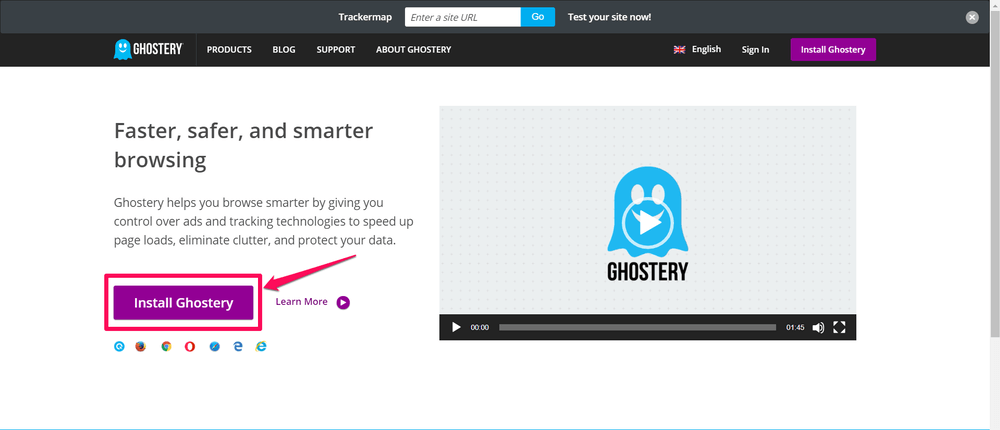
After extensive testing, my top recommendation for an all-around excellent ad blocker is Ghostery. Here‘s why it takes the top spot:
Compatibility: Ghostery is one of the most widely available ad blockers, with extensions for Chrome, Firefox, Safari, Opera, Edge, and Internet Explorer. No matter what browser you use, Ghostery has you covered.
Ease of use: Installing Ghostery is a breeze. Just head to their website, click the big "Install Ghostery" button, and let the quick setup guide walk you through the rest. The clean, intuitive interface makes it easy to see what‘s being blocked and manage your settings.
Functionality: Ghostery uses sophisticated AI and a constantly updated blacklist to identify and block ads, trackers, and other web clutter. It catches the vast majority of ads and noticeably speeds up page load times. You can also use the detailed view to dig into the specific trackers and widgets operating on each site.
Special features: In addition to standard ad blocking, Ghostery excels at anti-tracking, giving you greater privacy and control over your data. It breaks down the exact types of trackers on each site and lets you block scripts and beacons most other ad blockers miss. The optional "Ghostery Rewards" feature also offers you special deals as you browse.
Safety: Ghostery is completely safe and widely trusted. In fact, it‘s been recommended by privacy advocates like Edward Snowden.
Here‘s a quick look at how to install Ghostery on the top three browsers:
Installing Ghostery on Chrome
- Go to the Ghostery website and click "Install"
- On the Chrome Web Store page, click "Add to Chrome"
- Click "Add Extension" to confirm
- When prompted, click "Run Setup" and choose your settings
Installing Ghostery on Firefox
- Click "Install" on the Ghostery site
- When prompted by Firefox, click "Allow" then "Add"
- Click "Okay, Got It" after setup completes
Installing Ghostery on Safari
- Click "Install" on the Ghostery site to download the extension
- Double-click the downloaded file and click "Trust" if prompted
- Click "Install" when redirected to the Extensions page
- Follow the prompts to complete setup
Once installed, the Ghostery icon will appear in your browser toolbar. Clicking it will open the Ghostery interface where you can view blocking stats, pause Ghostery, and manage your trust/restrict site settings.
Here‘s an example of how Ghostery blocks ads on a typical news site:

With Ghostery enabled, the page is clean and focused on the content. But with Ghostery paused, the same page is cluttered with a large banner ad and several sponsored links in the sidebar:

The difference is night and day. If you want a cleaner, faster, more privacy-oriented browsing experience, Ghostery is the best ad blocker you can get. But it‘s not the only high-quality option out there.
Other Top Ad Blockers to Consider
While Ghostery is my #1 pick, there are several other excellent ad blockers worth checking out depending on your specific needs and preferences:
uBlock Origin

A favorite of many tech experts, uBlock Origin is a powerful, efficient, open-source ad blocker for Chrome, Firefox, Safari, and more. It does a great job of blocking ads and trackers without bogging down your browser. The element zapper tool also lets you easily remove any lingering ads or unwanted elements from a page.
AdBlock
One of the most widely used ad blockers, AdBlock is a solid choice for a simple, no-frills ad blocking experience. Just install the extension and let it do its thing. AdBlock is available for Chrome, Safari, Firefox, and Edge.
Wipr (for Safari)

Built exclusively for Safari, Wipr is a lightweight, efficient ad and tracker blocker that won‘t slow you down. It uses native Safari content blocking to cut out ads at the source for a speedier browsing experience. The set-it-and-forget-it nature of Wipr makes it a great choice for non-technical users.
Ka-Block! (for Safari)

Another Safari-exclusive ad blocker, Ka-Block! is an efficient, easy-to-use option that also allows some non-intrusive ads through in order to support websites. Like Wipr, it leverages Safari‘s content-blocking capabilities for optimum performance.
Ad Blockers: Myths vs Facts
There‘s a lot of misinformation out there about ad blockers. Let‘s dispel some common myths:
Myth: Using an ad blocker is stealing from websites.
Fact: Most ad blockers allow some non-intrusive ads through and let you whitelist your favorite sites. Used responsibly, ad blockers don‘t deprive sites of revenue.
Myth: Ad blockers are difficult to use.
Fact: The vast majority of ad blockers are simple browser extensions that can be installed in a couple clicks. No technical expertise needed.
Myth: Ad blockers slow down your browser.
Fact: By blocking resource-heavy ads and scripts, ad blockers actually make web pages load faster in most cases.
Myth: Ad blockers don‘t really improve the web experience.
Fact: Removing intrusive ads, pop-ups, trackers, and other web clutter objectively makes for a cleaner, more enjoyable browsing experience.
Myth: Ad blockers don‘t work on mobile.
Fact: While mobile ad blocking requires a bit more setup than desktop, there are several great ad blocking apps and browsers available for iOS and Android.
Do You Need a Paid Ad Blocker?
For most users, a free ad blocker will be more than sufficient. Paid ad blockers do exist, but they are usually part of a larger security or VPN application rather than standalone products.
Given the wide array of powerful free options like Ghostery, uBlock Origin, and AdBlock, there isn‘t a compelling reason for the average user to shell out money for an ad blocker. Even if a handful of ads slip through, the free versions offer more than enough protection for the vast majority of people.
The only case where a paid ad blocker might be worth it is if you want a comprehensive security/privacy solution and it happens to be bundled in. But as a standalone purchase, paid ad blockers are largely unnecessary.
Alternatives to Ad Blocking Extensions
Browser extensions are the easiest and most popular way to block ads, but there are a couple alternatives worth mentioning:
Opera browser: Opera is the rare browser that includes a built-in ad blocker. If you don‘t want to fuss with extensions, switching to Opera will let you block ads out of the box.
Ad blocking apps: For mobile browsing, standalone apps like AdGuard and Adblock Browser block ads and trackers across all your apps and browsers.
DNS ad blockers: DNS services like AdGuard DNS and NextDNS can block ads at the network level for your entire device or home.
But for most users, a good browser extension will be the simplest and most effective ad blocking method. Whether you go with our top pick Ghostery or one of the other great options covered here, you‘ll be well on your way to a better web experience.
This post was written by Nicole Pav and originated on SoftwareHow.com.
