AWS Redshift: The Ultimate Guide to Cloud Data Warehousing
In the era of big data, organizations are collecting and analyzing massive volumes of information to drive business decisions. However, traditional on-premises data warehouses can be costly, complex to manage, and challenging to scale. That‘s where Amazon Redshift comes in.
As a fully managed, petabyte-scale cloud data warehouse service, AWS Redshift enables you to efficiently store and analyze exabytes of data using standard SQL and your existing business intelligence tools. With Redshift, you can gain new insights from your data in seconds, not hours or days.
Redshift Architecture and Performance
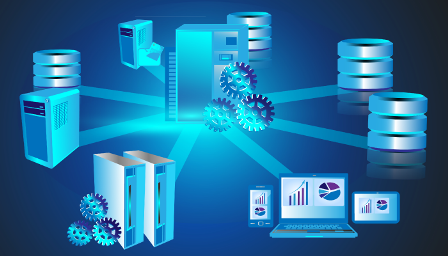
At the core of Amazon Redshift‘s architecture are clusters, which are composed of nodes. Each node is a compute unit that stores data and processes queries. Redshift uses a Multi-Parallel Processing (MPP) architecture to distribute data and queries across multiple nodes for fast, parallel processing.
Redshift employs columnar storage, advanced compression encoding, and zone maps to reduce the amount of I/O needed to perform queries. By storing data in columns rather than rows, Redshift can more precisely access only the data it needs to answer a query. According to AWS, this column-oriented design can provide up to 10x the performance of traditional row-oriented databases for analytical workloads.
When a query comes in, the leader node develops an execution plan and coordinates parallel processing across the compute nodes in the cluster. Redshift uses machine learning to predict the execution time of a query and dynamically assigns it to a queue to help prioritize workloads. Short queries are moved to an express queue for fast processing rather than getting stuck behind long-running queries.
Redshift‘s performance scales linearly with cluster size. You can start with a single 160GB DC2.Large node and scale up to a petabyte or more of compressed user data using 128 DC2.8xlarge nodes. In a benchmark test by AWS, a 64-node DC2.8xlarge cluster scanned 1 petabyte of data in 34 seconds, demonstrating Redshift‘s ability to provide fast query performance at scale.
Seamless Scalability
One of Redshift‘s key advantages is its ability to seamlessly scale compute and storage independently with the new RA3 node type. With RA3, you can size your cluster based on your compute needs and only pay for the storage you use.
As your data grows, you can easily scale your cluster up or down with just a few clicks in the AWS Management Console or API calls. Redshift will automatically redistribute data across new nodes and recommence queries with minimal interruption. This allows you to adapt your data warehouse to changing business requirements without incurring significant downtime or admin overhead.
For unpredictable or highly concurrent workloads, Redshift also offers the ability to rapidly add transient capacity using Concurrency Scaling. With Concurrency Scaling, Redshift automatically adds additional cluster capacity when you need it to process an increase in concurrent read queries. You only pay for the transient nodes when they‘re in use, and Redshift automatically removes them when demand subsides.
Advanced Automation and Machine Learning
Amazon Redshift employs advanced automation and machine learning to simplify cluster management and optimize performance. Some key capabilities include:
-
Automatic Workload Management (WLM): Redshift uses WLM to dynamically manage memory and concurrency. WLM observes your workload and makes smart decisions about which queries to prioritize and how much memory to allocate to each query.
-
Automatic Table Design: Redshift can automatically optimize the design of your tables by analyzing your data and query patterns. It can recommend the best distribution style and sort key to minimize data movement and maximize query performance.
-
Materialized Views: Redshift supports materialized views, which are precomputed result sets that can dramatically speed up query performance. Redshift can automatically refresh materialized views in the background to ensure they remain up-to-date.
-
Automatic Vacuum and Analyze: Redshift automatically runs VACUUM and ANALYZE operations in the background to reclaim space from deleted rows and update table statistics for the query planner. This automation helps maintain optimal performance without manual intervention.
Enhanced Security and Compliance
Security is a top priority for any cloud data warehouse. Amazon Redshift provides several features to help keep your data secure:
-
Encryption: All data in Redshift is encrypted at rest using hardware-accelerated AES-256 encryption. You can use AWS Key Management Service (KMS) to manage your encryption keys or have Redshift automatically and securely manage them for you. Redshift also supports SSL/TLS encryption for data in transit.
-
Network Isolation: You can deploy Redshift in a Virtual Private Cloud (VPC) for network-level isolation. With Enhanced VPC Routing, you can force all COPY and UNLOAD traffic between your cluster and data repositories through your VPC, allowing you to use VPC security groups and network access control lists to secure traffic.
-
Access Management: Redshift integrates with AWS Identity and Access Management (IAM) to manage access to your cluster. You can define granular permissions for users and groups, and use IAM roles to enable temporary, secure access to Redshift from other AWS services.
-
Compliance: Redshift is compliant with a wide range of industry standards, including SOC 1, SOC 2, SOC 3, PCI DSS Level 1, FedRAMP, HIPAA, and more. This makes it easier to build compliant analytics applications on top of Redshift.
Redshift Spectrum: Query Data in S3
With Redshift Spectrum, you can directly query data in Amazon S3 without having to load it into Redshift tables. This allows you to scale your compute and storage independently and opens up new possibilities for analyzing semi-structured and unstructured data.
Spectrum works by extending the Redshift query engine to directly read and process data in S3. You simply define the schema for your external table and point it to the appropriate S3 path. Redshift will parallelize the query processing across thousands of nodes to provide fast performance, even for petabyte-scale datasets.
According to AWS, Redshift Spectrum can scan 1 petabyte of unstructured data in S3 in just over 10 seconds. This capability allows you to analyze data that would have been cost-prohibitive to store in a traditional data warehouse, such as web logs, IoT data, and social media feeds.
Cost Optimization
While Redshift‘s pricing is already competitive compared to on-premises data warehouses, there are several strategies you can use to further optimize your costs:
-
Elastic Resize: With elastic resize, you can quickly change the size of your cluster to match your workload. This allows you to scale down your cluster during off-peak hours to save on compute costs.
-
Reserved Instances: If you have a steady-state workload, you can save up to 75% compared to on-demand pricing by committing to a 1 or 3-year term for Redshift Reserved Instances.
-
Data Compression: Redshift supports a variety of compression encodings that can significantly reduce your storage footprint. By choosing the appropriate encoding for each column, you can optimize your storage costs without sacrificing query performance.
-
Redshift Spectrum: By leveraging Redshift Spectrum to query data directly in S3, you can avoid the cost of storing infrequently accessed data in Redshift tables. S3 storage is significantly cheaper than Redshift local storage, so this can result in substantial savings.
Customer Success Stories
Many leading companies are using Amazon Redshift to power their analytics at scale. Here are a few notable examples:
-
Airbnb uses Redshift to analyze petabytes of customer and listing data to gain insights and make data-driven decisions. They were able to scale their Redshift usage to over 250 nodes during peak periods.
-
Yelp migrated their analytics platform to Redshift and saw a 10-20x performance improvement compared to their previous solution. They can now provide faster, more detailed metrics to business users.
-
FINRA (Financial Industry Regulatory Authority) uses Redshift to analyze 75 billion market events per day to detect fraud and insider trading. Redshift‘s scalability and performance allows them to process this massive dataset in near real-time.
-
NTT DOCOMO, Japan‘s largest mobile service provider, uses Redshift to analyze petabytes of customer data for churn prediction and targeted marketing. They can now process complex queries on billions of rows in seconds.
These customer stories demonstrate the wide range of use cases and industries that Amazon Redshift can support.
Conclusion
Amazon Redshift is a powerful, fully managed cloud data warehouse that enables you to analyze petabytes of data with high performance and low costs. By leveraging its MPP architecture, columnar storage, and advanced automation capabilities, you can gain new insights from your data in seconds.
Whether you‘re looking to migrate an existing on-premises data warehouse or build a new analytics platform from scratch, Redshift provides the scalability, performance, and flexibility to meet the needs of modern data-driven organizations. With tight integration with the broader AWS ecosystem and a wide range of security and compliance features, Redshift is well-positioned to be the foundation of your cloud analytics strategy.
As data continues to grow and analytics becomes increasingly critical to business success, cloud data warehouses like Amazon Redshift will play a central role in enabling organizations to turn raw data into actionable insights at scale. By starting your Redshift journey today, you can position your organization to compete and thrive in the data-driven future.