How to Create an Image Classification Model with Python and Keras
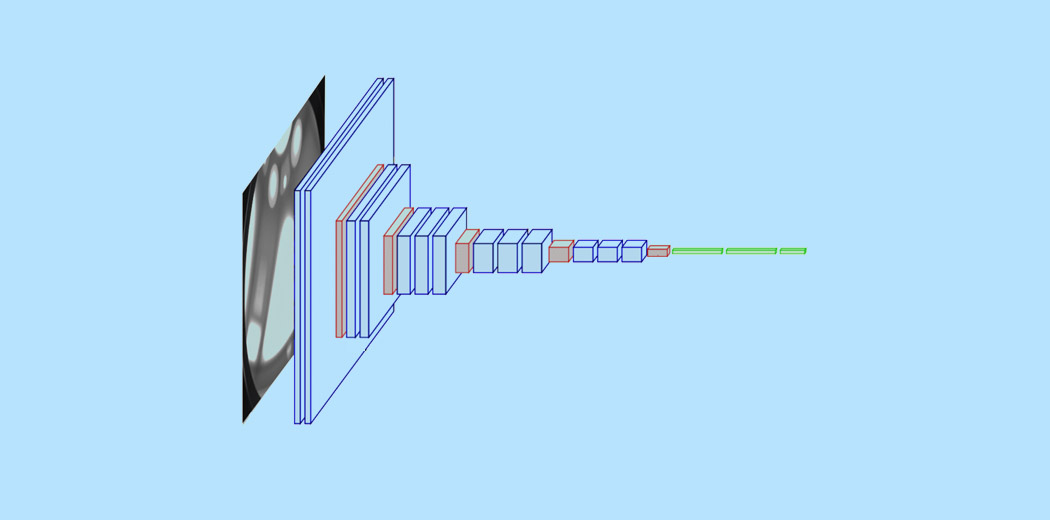
Image classification is a fundamental task in computer vision with a wide range of practical applications, from identifying objects in self-driving car footage to detecting diseases in medical scans. Thanks to advances in deep learning and the availability of powerful open source libraries like Keras, it‘s now easier than ever to get started with image classification in Python.
In this tutorial, we‘ll walk through how to create, train and evaluate a convolutional neural network (CNN) model for image classification using Python and Keras. Whether you‘re new to deep learning or looking to improve your skills, by the end of this post you‘ll have a working image classifier and a solid foundation to tackle your own projects. Let‘s jump in!
What is Image Classification?
Image classification is the task of assigning a label to an input image from a predefined set of categories. For example, a model might take an image and classify it as either "cat", "dog", or "panda". More formally, we can define an image classifier as a function that maps an input image to a probability distribution over a set of class labels.
Image classifiers built using deep learning are powered by convolutional neural networks (CNNs). Before we get into the code, let‘s take a quick look at how CNNs work their magic.
A Brief Intro to Convolutional Neural Networks
A convolutional neural network (CNN) is a type of deep learning model designed to process data with a grid-like structure, such as images. CNNs are inspired by the organization of the animal visual cortex and are tailored for computer vision tasks.
The basic building block of a CNN is the convolutional layer. This layer performs an operation called a "convolution", which is a fancy way of saying it slides a small window (called a kernel or filter) over the input image, computing dot products at each location. This process helps the model learn visual features like edges, textures and patterns. The output is a feature map that highlights where these learned features appear in the image.
CNNs typically contain a series of conv layers interspersed with pooling layers to downsample the feature maps, fully-connected layers to perform classification, and activation functions like ReLU to introduce nonlinearity. Popular CNN architectures like VGG16 and ResNet can contain dozens or even hundreds of layers.
One big advantage of CNNs is that they‘re able to learn hierarchical representations directly from raw pixel data, without the need for manual feature engineering. Early conv layers tend to learn simple low-level features, while deeper layers combine these to learn more complex high-level features relevant for classification.
With that background in mind, let‘s see how to build a CNN for image classification in Python using Keras.
Step 1: Prepare Your Image Data
The first step is to gather your image dataset and prepare it for training. For this example, let‘s use the CIFAR-10 dataset, which contains 60,000 32×32 color images across 10 classes like airplanes, cars, birds, and cats. Keras has a built-in function to load this dataset:
from keras.datasets import cifar10

(x_train, y_train), (x_test, y_test) = cifar10.load_data()
This loads the data into train and test sets, each containing images and corresponding labels.
Next, we need to preprocess the image data. A simple but important step is to normalize the pixel values from the range [0, 255] to [0, 1], which helps the model converge faster during training:
x_train = x_train.astype(‘float32‘) / 255
x_test = x_test.astype(‘float32‘) / 255
We also need to one-hot encode the class labels:
from keras.utils import to_categorical

y_train = to_categorical(y_train, num_classes=10)
y_test = to_categorical(y_test, num_classes=10)
And that‘s it for data prep! Now onto defining our CNN model.
Step 2: Define the CNN Model Architecture
To define our CNN, we‘ll use the Keras Sequential API, which allows us to stack layers like building blocks. Here‘s a simple CNN architecture for CIFAR-10:
from keras.models import Sequential
from keras.layers import Conv2D, MaxPooling2D, Flatten, Dense

model = Sequential([
    Conv2D(32, (3, 3), activation=‘relu‘, input_shape=(32, 32, 3)),
    MaxPooling2D((2, 2)),

    Conv2D(64, (3, 3), activation=‘relu‘),
    MaxPooling2D((2, 2)),

    Conv2D(64, (3, 3), activation=‘relu‘),
    Flatten(),
    Dense(64, activation=‘relu‘),
    Dense(10, activation=‘softmax‘)
])
Let‘s break this down:
- The input layer specifies the shape of the input images (32×32 pixels with 3 color channels)
- The first conv layer learns 32 filters, each of size 3×3, and applies a ReLU activation
- Max pooling dowsamples the feature maps by taking the max over 2×2 windows
- Two more conv layers learn 64 filters each, again followed by max pooling
- Flatten converts the 2D feature maps to a 1D vector for the dense layers
- Two dense layers, one with 64 units and ReLU, and the output layer with 10 units and softmax activation to generate class probabilities
This simple architecture achieves ~70% test accuracy on CIFAR-10 in just a few minutes of training on a single CPU. Not bad for a few lines of code! Of course, there‘s still lots of room for experimentation and improvement.
Step 3: Compile the Model
With our model architecture defined, the next step is to compile it by specifying an optimizer, a loss function, and metrics to monitor during training:
model.compile(optimizer=‘adam‘,
              loss=‘categorical_crossentropy‘,
              metrics=[‘accuracy‘])
Here we‘re using the Adam optimizer (an efficient variant of stochastic gradient descent), categorical cross-entropy loss (a common choice for multi-class classification), and accuracy as our metric.
Step 4: Train the Model
We‘re now ready to train our CNN on the prepared data:
history = model.fit(x_train, y_train,
                    epochs=10,
                    validation_data=(x_test, y_test))
The fit method trains the model for a fixed number of epochs (iterations over the dataset).
Setting validation_data to the test set allows us to monitor the model‘s performance on unseen data during training. This is useful for detecting overfitting, which occurs when the model starts to memorize the training data rather than learning generalizable features.
Step 5: Evaluate Test Accuracy
After training, we can evaluate the model‘s final performance on the test set:
test_loss, test_acc = model.evaluate(x_test, y_test)
print(‘Test accuracy:‘, test_acc)
For our simple CNN trained for 10 epochs, we achieve ~70% test accuracy. Not state-of-the-art, but respectable for a first attempt! By plotting the training and validation accuracy over time, we can check whether the model has converged or if it would benefit from further training.
Step 6: Use the Trained Model for Prediction
Now for the fun part – using our trained image classifier on new images! Keras makes this easy:
# Predict class probabilities for a single image
img = x_test[0]
img = np.expand_dims(img, axis=0)
predictions = model.predict(img)
The model returns a probability distribution over the 10 classes. The predicted class is the one with the highest probability:
predicted_class = np.argmax(predictions[0])
print(‘Predicted class:‘, predicted_class)
And there we have it – an end-to-end example of training an image classifier in Python with Keras! Of course, this just scratches the surface. There are many techniques we can use to improve performance…
Improving Image Classification Models
While our simple CNN did pretty well, there‘s almost always room for improvement. Here are some techniques worth trying:
Data Augmentation
One powerful way to reduce overfitting and improve generalization is to artificially expand the training set using label-preserving transformations, such as:
- Horizontal and vertical shifts
- Zooming in and out
- Rotating
- Flipping
- Adding noise
Keras‘ ImageDataGenerator class makes it easy to set up a generator that will yield batches of augmented images during training. Check out this post for a
hands-on guide to data augmentation with Keras.
Hyperparameter Tuning
With deep learning models, the choice of hyperparameters like the learning rate, batch size, and number of layers can have a big impact on performance. Rather than pick values by hand, we can systematically search for an optimal configuration using techniques like:
- Grid search: Try all combinations from a "grid" of values for each hyperparameter
- Random search: Sample random combinations (surprisingly effective in practice)
- Bayesian optimization: Choose the next combination to try based on past results
Keras‘ Scikit-Learn wrapper makes it straightforward to integrate hyperparameter search into your workflow. You can find a tutorial here.
Transfer Learning
Training a CNN from scratch can be data and compute-intensive. An increasingly popular approach is to leverage the power of pretrained models using a technique called transfer learning. The idea is:
- Take a CNN pretrained on a large, general dataset like ImageNet
- Remove the top layer(s)
- Add new top layer(s) specific to your problem
- "Freeze" the weights of the pretrained layers while training the new layer(s) on your dataset
This allows you to get great results with much less labeled data. Popular choices for pretrained models include VGG16, InceptionV3 and ResNet50. Keras provides an easy way to use pretrained models via the applications module:
from keras.applications import VGG16

pretrained_model = VGG16(weights=‘imagenet‘,
                         include_top=False,
                         input_shape=(224, 224, 3))
For a step-by-step walkthrough of transfer learning for image classification, check out this excellent guide.
Next Steps
Congratulations – you now have a working toolkit for image classification in Python! Some suggestions for next steps:
- Experiment with different CNN architectures like AlexNet, GoogLeNet, ResNet…
- Play with techniques to visualize what CNNs learn such as t-SNE plots and occlusion sensitivity
- Try your hand at more specialized computer vision tasks like object detection, segmentation, and face recognition
- Apply what you‘ve learned to real-world image datasets relevant to your interests, whether that‘s medical imaging, analyzing satellite data, or building a better dog vs cat classifier!
Most importantly, have fun and keep learning! The field of computer vision and deep learning is evolving incredibly quickly, with exciting new advances every day.
Resources
If you‘d like to dive deeper, here are some recommended resources:
- Coursera: Convolutional Neural Networks
- Stanford CS231n: Convolutional Neural Networks for Visual Recognition
- PyImageSearch: Keras Tutorial
Happy coding!