Text Summarization with TextRank in Python: A Step-by-Step Guide
Introduction
In today‘s digital age, we are inundated with more information and content than ever before. On the web, in the news, and across social media, there are countless articles, blog posts, documents, and media competing for our attention. With limited time and mental bandwidth, how can we efficiently process and absorb all this information? This is where the field of automatic text summarization comes to the rescue.
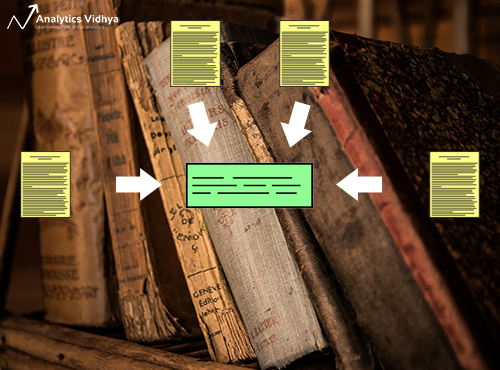
Text summarization is the task of generating a concise and fluent summary of a longer text document, while preserving key information content and overall meaning. The goal is to create a condensed version of the text that conveys the main points succinctly. This has numerous applications, from summarizing news articles and blog posts, to generating meeting minutes and previews of long reports. With growing digital content, text summarization is becoming an increasingly important challenge.
There are two main approaches to automatic text summarization:
-
Extractive Summarization: This involves identifying important sentences or phrases from the original text and concatenating them to form a summary. The key here is determining the right sentences to extract, while maintaining coherence between them.
-
Abstractive Summarization: This is a more advanced approach that involves generating entirely new phrases and sentences to capture the meaning of the source text. This requires a deeper semantic understanding of the text and is an active area of research in natural language processing involving complex neural network architectures.
In this article, we will focus on extractive summarization, specifically using a technique called TextRank. We‘ll dive into the technical details of the algorithm, implement it from scratch in Python, and evaluate it on some sample text. Let‘s get started!
PageRank Primer
To understand TextRank, it helps to first be familiar with PageRank, the algorithm used by Google to rank web pages in their search engine results. PageRank formed the foundation for TextRank.
PageRank works by constructing a graph of the web, with web pages as nodes and links between them as edges. The algorithm then ranks the importance of each page based on the structure of the links, with the idea that more important websites are likely to receive more links from other websites.
PageRank models this problem mathematically using a Markov chain, which consists of states (web pages) and transitions between them (links). The algorithm iteratively updates the PageRank score of each page based on the scores of pages that link to it, until convergence. The result is a probability distribution that represents the likelihood that a person randomly clicking on links will arrive at any particular page.
TextRank Algorithm
TextRank applies the same idea as PageRank, but to textual elements like words or sentences instead of web pages. Here are the key steps of the TextRank algorithm:
- Text preprocessing
- Split text into sentences
- Tokenize sentences into words
- Remove stop words and punctuation
- Perform stemming or lemmatization
- Build a graph representation of sentences
- Vertices are sentences
- Edges are semantic similarities between sentences
- Run the PageRank algorithm on the sentence graph
- Sort vertices by their final score
- Take top N vertices for summary generation
The key here is how to represent the similarity between sentences. A common approach is to use cosine similarity of TF-IDF vectors. Another is to look at word overlap or semantically similar words between sentences.
Once we have our sentence graph, the PageRank computation is fairly straightforward. We initialize each sentence vertex with the same initial score. Then the score of each vertex is iteratively updated based on the scores of vertices that link to it. In the context of sentences, a link exists between two sentences if they are semantically similar based on our chosen similarity function.
After running PageRank to convergence, we can take the top N highest scoring sentences to form our extractive summary. This works because the sentences that are most important and capture the main topics tend to be voted up by being highly similar to many other sentences.
TextRank Implementation in Python
Now that we understand how TextRank works, let‘s implement it in Python! We‘ll apply it to some sample news articles to automatically generate summaries.
Step 1: Setup
First, we‘ll import the necessary libraries and download some data to work with. I‘ve included a function to download some news articles that we‘ll be summarizing.
import numpy as np
import pandas as pd
import nltk
from nltk.tokenize import sent_tokenize
import re
import networkx as nx

!pip install wget
import wget

def load_data():
  url = ‘https://raw.githubusercontent.com/prateekjoshi565/textrank_text_summarization/master/tennis_articles_v4.csv‘
  wget.download(url)

nltk.download(‘punkt‘) # one time execution
load_data()
df = pd.read_csv("tennis_articles_v4.csv")
Step 2: Sentence Tokenization
Next, we‘ll tokenize the text into sentences, as they will form the basis of our graph vertices. For this we use the sent_tokenize module from NLTK.
sentences = []
for s in df[‘article_text‘]:
  sentences.append(sent_tokenize(s))

sentences = [y for x in sentences for y in x] # flatten list
Step 3: Text Preprocessing
We‘ll do some basic text cleaning by removing special characters and converting all text to lowercase. We also remove stopwords which add little semantic value.
# remove punctuations, numbers and special characters
clean_sentences = pd.Series(sentences).str.replace("[^a-zA-Z]", " ")

# make alphabets lowercase
clean_sentences = [s.lower() for s in clean_sentences]

from nltk.corpus import stopwords
stop_words = stopwords.words(‘english‘)

# function to remove stopwords
def remove_stopwords(sen):
    sen_new = " ".join([i for i in sen if i not in stop_words])
    return sen_new

# remove stopwords from the sentences
clean_sentences = [remove_stopwords(r.split()) for r in clean_sentences]
Step 4: Generate Sentence Vectors
To compute semantic similarity between sentences, we need to embed them into a vector space. There are many ways to do this, from a simple Bag-of-Words approach to more advanced methods like Word2Vec or BERT. For simplicity, we‘ll use a pre-trained GloVe model to generate sentence embeddings by taking the mean of the word vectors.
# download GloVe vectors
!wget http://nlp.stanford.edu/data/glove.6B.zip
!unzip glove*.zip

word_embeddings = {}
f = open(‘glove.6B.100d.txt‘, encoding=‘utf-8‘)
for line in f:
    values = line.split()
    word = values[0]
    coefs = np.asarray(values[1:], dtype=‘float32‘)
    word_embeddings[word] = coefs
f.close()

sentence_vectors = []
for i in clean_sentences:
    if len(i) != 0:
        v = sum([word_embeddings.get(w, np.zeros((100,))) for w in i.split()])/(len(i.split())+0.001)
    else:
        v = np.zeros((100,))
    sentence_vectors.append(v)
Step 5: Generate Similarity Matrix
With the sentence embeddings, we can now compute semantic similarity between each pair of sentences using cosine similarity. We store the result in a similarity matrix.
sim_mat = np.zeros([len(sentences), len(sentences)])

from sklearn.metrics.pairwise import cosine_similarity

for i in range(len(sentences)):
  for j in range(len(sentences)):
    if i != j:
      sim_mat[i][j] = cosine_similarity(sentence_vectors[i].reshape(1,100), sentence_vectors[j].reshape(1,100))[0,0]
Step 6: PageRank
Next, we convert the similarity matrix into a graph, with sentences as vertices and similarity scores as edge weights between them. We then run the PageRank algorithm on the graph.
nx_graph = nx.from_numpy_array(sim_mat)
scores = nx.pagerank(nx_graph)
Step 7: Generate Summary
Finally, we extract the top N sentences with the highest scores to form our summary.
ranked_sentences = sorted(((scores[i],s) for i,s in enumerate(sentences)), reverse=True)

# Extract top 10 sentences as the summary
for i in range(10):
  print(ranked_sentences[i][1])
Here are the key sentences that form the extractive summary:
- When I‘m on the courts or when I‘m on the court playing, I‘m a competitor and I want to beat every single person whether they‘re in the locker room or across the net.
- So I‘m not the one to strike up a conversation about the weather and know that in the next few minutes I have to go and try to win a tennis match.
- Major players feel that a big event in late November combined with one in January before the Australian Open will mean too much tennis and too little rest.
- Speaking at the Swiss Indoors tournament where he will play in Sundays final against Romanian qualifier Marius Copil, the world number three said that given the impossibly short time frame to make a decision, he opted out of any commitment.
…
Extensions and Improvements
The basic TextRank algorithm works well, but there are many ways it can be improved:
- Using more advanced sentence embeddings like BERT, Elmo or XLNet
- Improving the text preprocessing steps like named entity recognition
- Modifying the similarity function to go beyond just cosine similarity, e.g. using ROUGE or BLEU
- Considering sentence position and length while ranking
- Using graph algorithms like LexRank which incorporates edge weight information
Applications and Use Cases
Extractive text summarization with TextRank has many useful applications, such as:
- Summarizing long articles, blog posts and web pages
- Generating abstractive highlights and key points
- Creating meeting minutes and lecture notes
- Condensing reports and whitepapers for quick consumption
- Improving search results by showing summary previews
With the exponential growth in digital content, automatic summarization will only become more valuable as an information processing aid. Techniques like TextRank can help alleviate information overload.
Abstractive Summarization and Deep Learning
While extractive methods like TextRank are effective and straightforward to implement, abstractive techniques represent the future of automatic summarization. Abstractive models go beyond just selecting passages from the source text – they can generate entirely original sentences and paraphrases while preserving the semantic content. This requires a deeper "understanding" of the text.
In recent years, deep learning models like sequence-to-sequence LSTMs and Transformer-based architectures have pushed the state-of-the-art in abstractive summarization. Models like BART, T5 and GPT-3 leverage massive datasets and self-supervised training to generate fluent, human-like summaries. This is an active area of research and we can expect to see exciting developments in the coming years.
Conclusion
In this article, we explored the extractive approach to automatic text summarization using the TextRank algorithm. We implemented it from scratch in Python, and applied it to summarize some sample news articles. We also discussed various improvements and use cases for extractive summarization.
Beyond extractive techniques, abstractive summarization represents the future of this technology. Deep learning models are already generating state-of-the-art results by capturing the semantic meaning of text.
Text summarization is an important NLP task with growing relevance in the digital age. With the right tools and techniques, we can convert information overload into knowledge at our fingertips. Hopefully this article gave you a good starting point and piqued your interest to learn more!
References and Further Reading
– Official TextRank paper: https://web.eecs.umich.edu/~mihalcea/papers/mihalcea.emnlp04.pdf
– "Text Summarization Techniques: A Brief Survey" by Mehdi Allahyari et al.
– "Deep Learning for Abstractive Text Summarization" by Wojciech Kryściński, Nitish Shirish Keskar, Bryan McCann, Caiming Xiong, Richard Socher: https://arxiv.org/abs/1910.00998
– "Text Summarization with Pretrained Encoders" by Yang Liu, Mirella Lapata: https://arxiv.org/abs/1908.08345