
Practicing Deep Learning Skills: A Hands-On Project with Keras
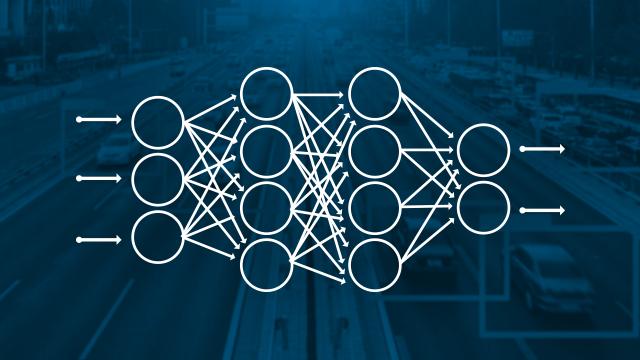
Deep learning has revolutionized the field of machine learning in recent years, enabling computers to achieve human-level performance on complex tasks like image classification, speech recognition, and language translation. However, deep learning can seem intimidating to beginners due to the mathematical complexity and the wide variety of architectures, techniques, and hyperparameters involved.
The best way to truly understand deep learning is by doing – working on hands-on projects and experimenting with different architectures and settings. In this article, we‘ll walk through a complete deep learning project using Keras, a powerful and easy-to-use deep learning library for Python. By the end, you‘ll have the skills and confidence to take on your own custom deep learning projects.
Why Keras?
Keras is an open-source deep learning library that provides a clean and simple interface for building and training neural networks. Some of the key advantages of Keras include:
-
Ease of use: Keras provides a simple and intuitive way to define complex network architectures with just a few lines of code. It abstracts away a lot of the underlying complexity, making it very beginner-friendly.
-
Flexibility: Keras is highly modular and extensible, allowing you to easily customize your models and experiment with different architectures. It also integrates seamlessly with other libraries like TensorFlow and PyTorch.
-
Documentation and community: Keras has excellent documentation and a large, active community of users and contributors. This makes it easy to find examples, tutorials, and answers to your questions.
-
Wide adoption: Keras is used by researchers, startups, and large companies all over the world. Its wide adoption means that the skills you learn will be highly transferable.
Now that we understand the benefits of Keras, let‘s dive into our hands-on project!
The Project: Classifying Handwritten Digits
For our project, we‘ll be using the classic MNIST dataset, which consists of 70,000 grayscale images of handwritten digits (0 to 9), each 28×28 pixels in size. Our goal is to build a neural network that can accurately classify these images into the correct digit class.
This is a great project for beginners because it‘s complex enough to be interesting, but not so complex that it‘s overwhelming. It will expose us to many key concepts and techniques in deep learning, including data preprocessing, model architecture, training, and evaluation.
Step 1: Loading and Preparing the Data
The first step is to load the MNIST dataset and prepare it for training. Fortunately, Keras provides a convenient way to load the dataset directly:
from tensorflow.keras.datasets import mnist

(x_train, y_train), (x_test, y_test) = mnist.load_data()
This loads the data into four NumPy arrays:
x_train: 60,000 grayscale training images, each 28×28 pixelsy_train: 60,000 digit labels (integers from 0-9) for the training imagesx_test: 10,000 grayscale test imagesy_test: 10,000 digit labels for the test images
Before we can train our model, we need to do some preprocessing on the data:
-
Reshape the images from 2D arrays (28×28) into 1D vectors (784). This is required because our simple dense neural network expects a 1D vector as input.
-
Scale the pixel values from [0, 255] to [0, 1]. This normalization typically helps the model converge faster.
-
Convert the labels from integers to one-hot encoded vectors. For example, 2 would be converted to [0, 0, 1, 0, 0, 0, 0, 0, 0, 0].
Here‘s the code to do this preprocessing:
x_train = x_train.reshape((60000, 28 * 28))
x_train = x_train.astype(‘float32‘) / 255

x_test = x_test.reshape((10000, 28 * 28))
x_test = x_test.astype(‘float32‘) / 255

from tensorflow.keras.utils import to_categorical

y_train = to_categorical(y_train)
y_test = to_categorical(y_test)
Step 2: Defining the Model Architecture
Now that our data is prepared, we can define our neural network architecture. We‘ll start with a simple multi-layer perceptron (MLP):
from tensorflow.keras.models import Sequential
from tensorflow.keras.layers import Dense

model = Sequential([
    Dense(512, activation=‘relu‘, input_shape=(28 * 28,)),
    Dense(10, activation=‘softmax‘)
])
This model has two layers:
- A hidden layer with 512 neurons and a ReLU activation. The
input_shapeargument specifies that the input will be a vector of length 784 (28*28). - An output layer with 10 neurons (one for each digit class) and a softmax activation, which outputs a probability distribution over the 10 classes.
The Sequential model is a linear stack of layers where the output of one layer is the input to the next.
Step 3: Compiling the Model
Before we can train our model, we need to configure the learning process using the compile method:
model.compile(optimizer=‘rmsprop‘,
              loss=‘categorical_crossentropy‘,
              metrics=[‘accuracy‘])
Here we specify three things:
- The optimizer: This is the algorithm that will be used to update the model‘s weights during training. We‘re using RMSprop, which is a good default choice.
- The loss function: This is how we measure how well the model is performing. For a multi-class classification problem like this, cross-entropy loss is the standard choice.
- Metrics to track: We‘ll track accuracy (the fraction of images that are correctly classified) during training and testing.
Step 4: Training the Model
Now we‘re ready to train our model on the training data:
model.fit(x_train, y_train, epochs=5, batch_size=128)We‘re training for 5 epochs (iterations over the entire dataset) using a batch size of 128 (the number of training examples used in one iteration).
During training, you‘ll see the loss and accuracy printed for each epoch. These are evaluated on the training data, so they may be a bit optimistic. The real test is how well the model performs on unseen data.
Step 5: Evaluating the Model
After training, we can evaluate the model‘s performance on the test data:
test_loss, test_acc = model.evaluate(x_test, y_test)
print(‘Test accuracy:‘, test_acc)
This will give us an unbiased estimate of how well our model generalizes to new data.
Improving the Model
Our simple model achieves around 97-98% test accuracy, which is quite good. However, there‘s still room for improvement. Here are some things we can try:
Deeper Architecture
One way to potentially improve performance is to use a deeper network with more layers. For example:
model = Sequential([
    Dense(512, activation=‘relu‘, input_shape=(28 * 28,)),
    Dense(256, activation=‘relu‘),
    Dense(10, activation=‘softmax‘)
])
A deeper network can learn more complex representations of the data. However, deeper networks are also more prone to overfitting, especially on smaller datasets like MNIST.
Regularization and Dropout
To combat overfitting, we can use regularization techniques like L1/L2 regularization and dropout. These techniques constrain the model‘s capacity, discouraging it from learning overly complex patterns that don‘t generalize.
Here‘s how we can add L2 regularization and dropout to our model:
from tensorflow.keras.layers import Dropout

model = Sequential([
    Dense(512, activation=‘relu‘, kernel_regularizer=l2(0.001), input_shape=(28 * 28,)),
    Dropout(0.2),
    Dense(256, activation=‘relu‘, kernel_regularizer=l2(0.001)),
    Dropout(0.2),
    Dense(10, activation=‘softmax‘)
])
The l2(0.001) regularizer adds a penalty to the loss function that is proportional to the square of the weights. This encourages the model to learn smaller weights, which can help with generalization.
The Dropout(0.2) layers randomly set 20% of the inputs to 0 at each update during training. This prevents the network from relying too heavily on any individual neurons.
Hyperparameter Tuning
Another way to improve performance is by tuning the model‘s hyperparameters, such as the number of layers, the number of neurons per layer, the learning rate, etc.
This is typically done through a process of trial and error – training many models with different hyperparameter settings and seeing which performs best on a validation set.
Keras provides a convenient way to do hyperparameter tuning using the keras-tuner library. Here‘s an example of how we could use it to tune the number of neurons in each layer:
from kerastuner import HyperParameters

def build_model(hp):
    model = Sequential()
    model.add(Dense(units=hp.Int(‘units_input‘, min_value=32, max_value=512, step=32),
                    activation=‘relu‘, input_shape=(28 * 28,)))
    for i in range(hp.Int(‘num_layers‘, 1, 3)):
        model.add(Dense(units=hp.Int(f‘units_{i}‘, min_value=32, max_value=512, step=32),
                        activation=‘relu‘))
    model.add(Dense(10, activation=‘softmax‘))

    model.compile(optimizer=hp.Choice(‘optimizer‘, [‘adam‘, ‘rmsprop‘]),
                  loss=‘categorical_crossentropy‘,
                  metrics=[‘accuracy‘])
    return model

tuner = RandomSearch(build_model, objective=‘val_accuracy‘, max_trials=5, executions_per_trial=3)
tuner.search(x_train, y_train, epochs=5, validation_data=(x_test, y_test))
This will try out 5 different model architectures, each trained 3 times, and will return the architecture that achieved the best validation accuracy.
Transfer Learning
Finally, if you‘re working on a more complex problem where you don‘t have a lot of labeled training data, you can use a technique called transfer learning. This involves taking a pre-trained model (usually one that was trained on a very large dataset) and fine-tuning it for your specific task.
For the MNIST problem, transfer learning is overkill. But for more complex problems like classifying real-world images, it can significantly boost performance, especially if you don‘t have a lot of training data.
Productionizing Your Model
Once you‘ve developed a model that you‘re happy with, you may want to deploy it into a production environment so that it can be used by others. This involves:
- Saving your trained model to disk
- Loading your model in a production environment
- Wrapping your model in an API so that it can be accessed by other programs
Keras makes this process very straightforward. To save your model, you can use the save method:
model.save(‘my_model.h5‘)This saves your entire model (architecture, weights, optimizer state) to an HDF5 file.
To load your model, you can use the load_model function:
from tensorflow.keras.models import load_model

model = load_model(‘my_model.h5‘)
And to wrap your model in an API, you can use a framework like Flask. Here‘s a simple example:
from flask import Flask, request, jsonify
from tensorflow.keras.models import load_model

app = Flask(__name__)
model = load_model(‘my_model.h5‘)

@app.route(‘/predict‘, methods=[‘POST‘])
def predict():
    image = request.json[‘image‘]
    prediction = model.predict(image).tolist()
    return jsonify(prediction)

if __name__ == ‘__main__‘:
    app.run()
This creates a Flask app with a /predict endpoint that takes an image as a JSON post, passes it through the model, and returns the prediction as a JSON response.
Next Steps
Congratulations! You now have the skills to complete a full deep learning project using Keras, from data preparation to model deployment.
To further deepen your understanding, I encourage you to experiment with the code we‘ve written. Try different architectures, regularization techniques, and hyperparameters and see how they affect performance.
You can also try applying these techniques to other datasets and problem domains. Some ideas:
- Classifying real-world images (e.g., distinguishing cats from dogs)
- Sentiment analysis on text data
- Predicting housing prices based on features like square footage, number of bedrooms, etc.
The possibilities are endless! The key is to practice, experiment, and not be afraid to make mistakes. That‘s how you truly learn and grow as a data scientist.
Here are some resources to help you on your journey:
- The official Keras documentation: https://keras.io/
- Deep Learning with Python by François Chollet (the creator of Keras)
- Andrew Ng‘s Deep Learning Specialization on Coursera
- fast.ai‘s Practical Deep Learning for Coders course
Best of luck, and happy deep learning!


