
Schedule Across Time Zones Without Mistakes: Tips, Tools & Best Practices
Let me ask you something: Have you ever woken up at 3 AM because you miscalculated a meeting time? Or worse, have you accidentally scheduled a client call when they were sound asleep on the other side of the world?
You're not alone.
In today's hyper-connected global workforce, scheduling across time zones has become one of the most common —and frustrating—challenges we face. According to recent research, 62% of remote workers collaborate directly with teammates across multiple time zones, and a stunning 75% report time zone coordination as a medium to high difficulty challenge .
But here's the good news: With the right strategies, tools, and mindset, you can master cross-timezone scheduling and never miss another meeting again.
In this comprehensive guide, I'll walk you through everything you need to know about scheduling across time zones—from understanding the basics to implementing advanced best practices that will transform how you coordinate with global teams.
Let's dive in.
Why Time Zone Scheduling Matters More Than Ever
The remote work revolution has fundamentally changed how we collaborate. Teams are no longer confined to a single office or even a single continent.
Research from Harvard Business School reveals that when temporal distance between employees increases by just one hour, synchronous communication drops by 11% . That's a significant impact on collaboration and productivity.
But it's not just about work meetings. Time zone coordination affects:
- International sales calls where timing can make or break a deal
- Customer support operations that need 24/7 coverage
- Virtual events and webinars with global audiences
- Personal relationships with friends and family abroad
- Healthcare consultations with international specialists
The stakes are high, and the margin for error is thin.
Understanding the Time Zone Landscape
Before we jump into tools and tactics, let's get clear on what makes time zone scheduling so tricky.
The Global Time Zone System
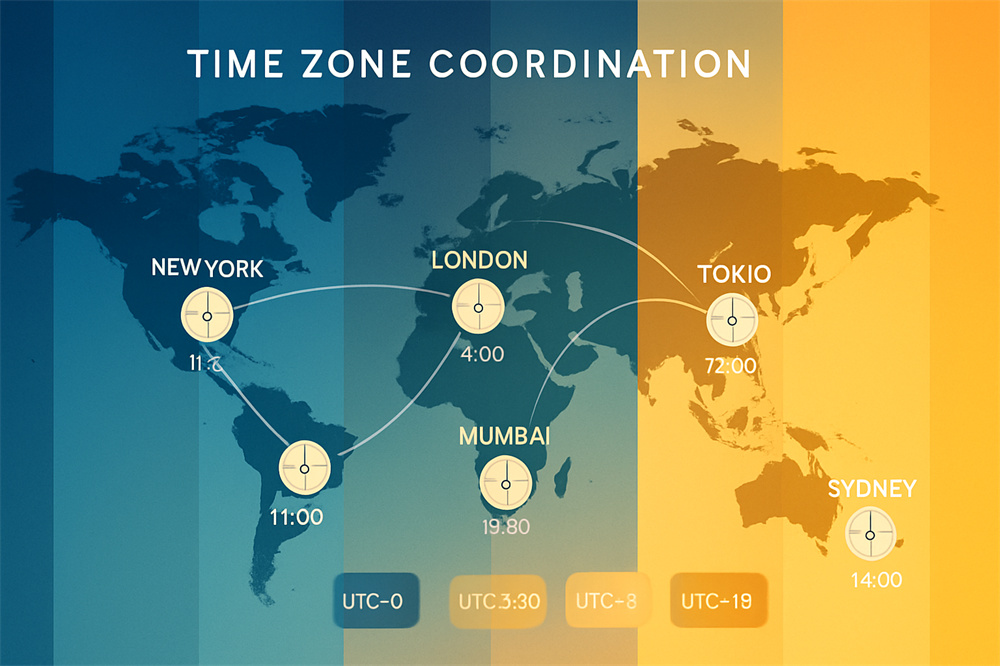
Our planet is divided into 24 primary time zones, each representing one hour of the Earth's 24-hour rotation. Sounds simple, right? Well, not quite.
The reality is far more complex. Some regions use half-hour or even 45-minute offsets. Countries like India (UTC+5:30) and Nepal (UTC+5:45) don't fit neatly into the standard hourly divisions.
Then there's the political dimension. Countries can — and do — change their time zones based on economic or political considerations. Venezuela, for instance, shifted its time zone by 30 minutes in 2007, then changed it back in 2016.
The Daylight Saving Time Dilemma
If standard time zones weren't complicated enough, Daylight Saving Time (DST) adds another layer of confusion.
Not every country observes DST. Those that do often switch on different dates. This creates temporary scheduling chaos twice a year when your usual 9 AM call suddenly becomes 8 AM or 10 AM .
The health impacts are real too. Studies show that the spring time change is linked to increased heart attacks, car accidents, and disrupted sleep patterns affecting over 300 million people .
For schedulers, DST means constant vigilance and using tools that automatically account for these changes.
Common Time Zone Scheduling Mistakes (And How to Avoid Them)
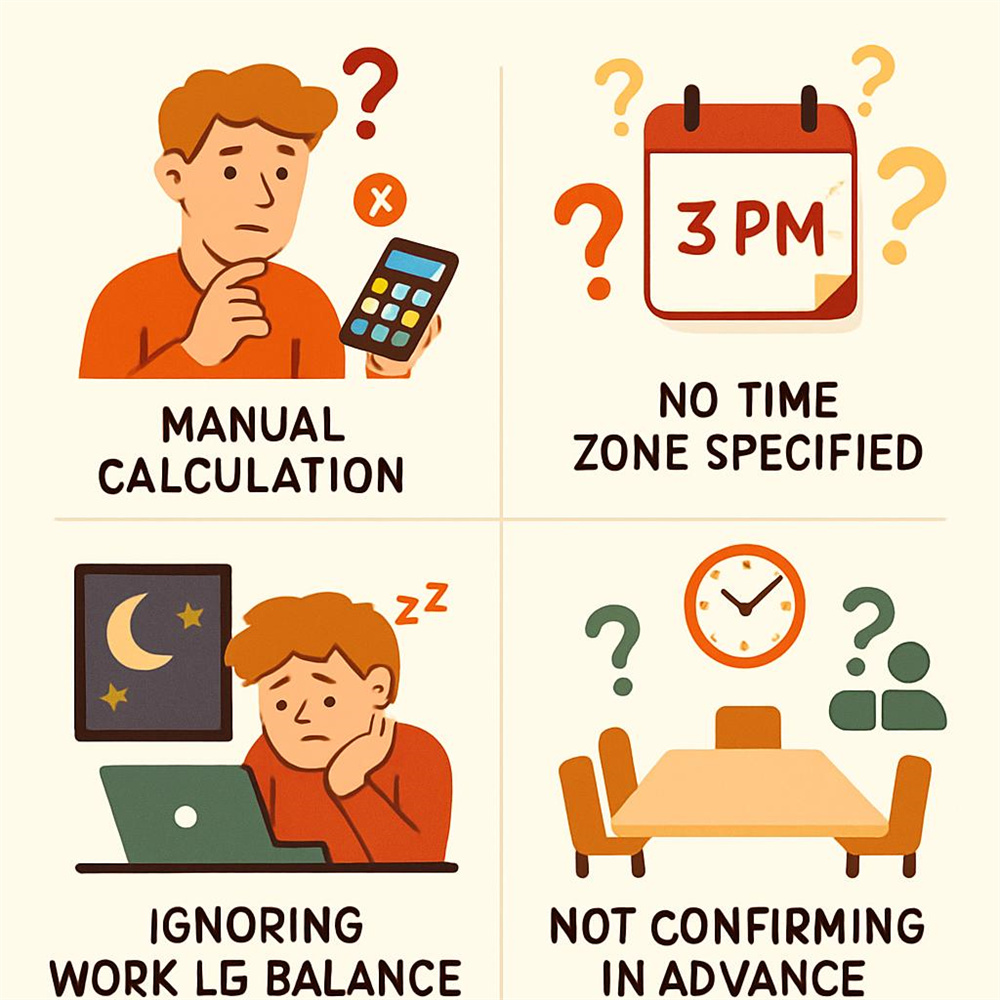
Let's talk about the mistakes I see people make over and over again:
Mistake #1: Manual Time Calculations
You pull out your phone calculator and think, “Okay, I'm in New York at 2 PM, so London is 5 hours ahead, which means 7 PM for them.” Seems straightforward.
But you forgot about DST. Or you miscounted. Or you didn't account for a regional exception.
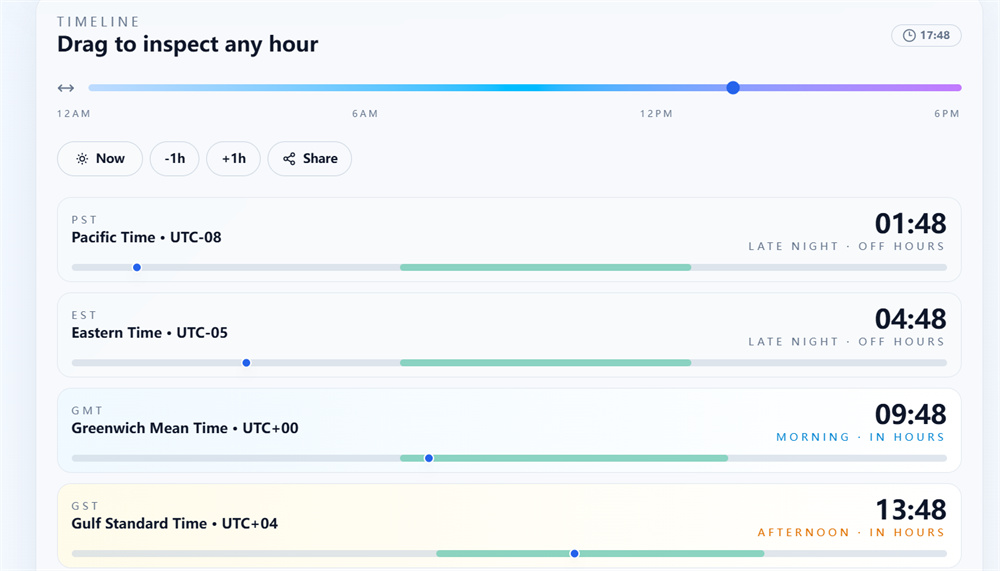
The Fix: Never calculate time zones manually. Always use a dedicated time zone converter like What Is My TimeZone, which provides real-time accuracy and accounts for DST automatically .
Mistake #2: Assuming Your Time Zone is Universal
This happens more than you'd think. You send a meeting invite for “3 PM” without specifying the time zone, assuming everyone knows you mean your local time.
The Fix: Always specify the time zone using clear abbreviations (EST, PST, GMT, etc.) or better yet, use scheduling tools that display times in each participant's local time zone automatically .
Mistake #3: Ignoring Work-Life Balance
Just because someone can technically join a meeting at 11 PM their time doesn't mean they should.
The Fix: Respect core working hours across all time zones. When scheduling, aim for times that fall within reasonable working hours (9 AM – 6 PM) for as many participants as possible .
Mistake #4: Not Confirming Time Zones in Advance
You schedule a meeting, send the invite, and assume everyone's on the same page. Then half your team doesn't show up because they misunderstood the time.
The Fix: Send confirmation emails that display the meeting time in each participant's specific time zone. Include a sentence like: “This meeting is at 2 PM EST (11 AM PST, 7 PM GMT)”.
Essential Tools for Cross-Time Zone Scheduling
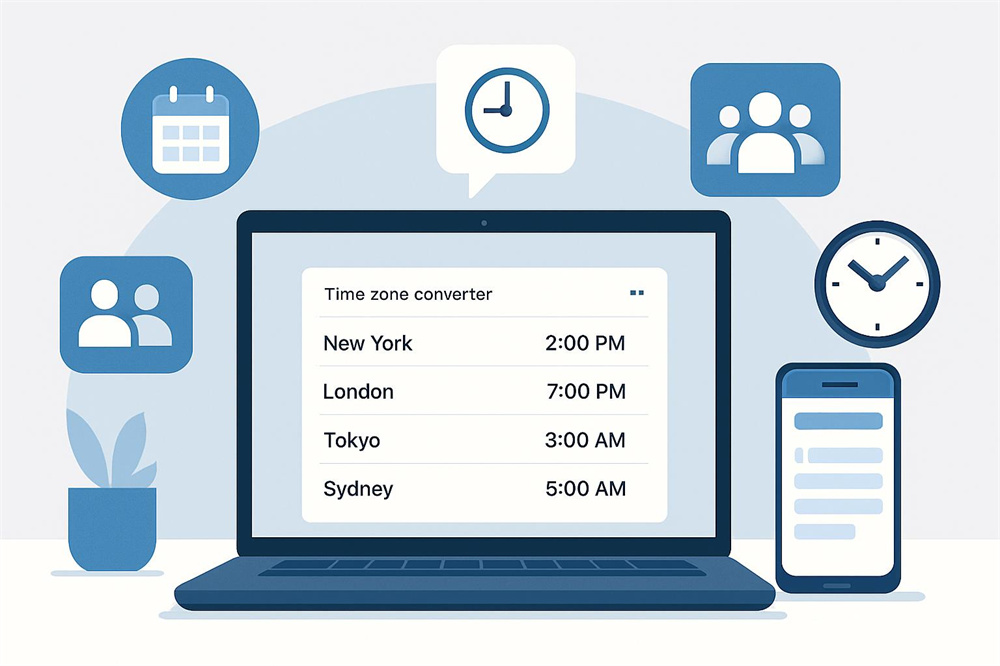
The right tools can transform time zone scheduling from a headache into a seamless process. Here are the categories you need to know:
Time Zone Converters
These are your first line of defense against scheduling errors:
What Is My TimeZone – This is my go-to recommendation. It instantly shows you your current time zone and provides quick conversions to other regions. The interface is clean, fast, and requires no registration.
World Time Buddy – Popular among executive assistants, this visual tool lets you compare multiple time zones simultaneously and find overlapping working hours .
Every Time Zone – Offers a minimalist design that displays all time zones on a single scrollable page, making it easy to spot the best meeting times at a glance .
Meeting Schedulers with Time Zone Support
These tools go beyond simple conversion by automating the entire scheduling process:
Calendly – Automatically detects and adjusts meeting times based on each participant's time zone. It prevents double-bookings and integrates seamlessly with major calendar platforms .
Doodle – Perfect for group scheduling, Doodle allows participants to vote on their preferred times, with automatic time zone adjustments for each voter.
YouCanBookMe – Offers advanced time zone support with customizable booking pages and automated confirmations in local time zones .
Calendar Applications with Time Zone Features
Your calendar app is where everything comes together:
Google Calendar – Automatically converts meeting times when you travel and allows you to display multiple time zones simultaneously .
Microsoft Outlook – Offers robust time zone scheduling features, including the ability to view multiple time zones side-by-side in your calendar view .
Apple Calendar – Supports floating time zones (for location-independent events) and fixed time zones (for remote meetings) .
Team Collaboration Platforms
For ongoing coordination, these platforms offer built-in time zone awareness:
- Slack – Displays team members' local times and allows you to schedule messages to send during their working hours .
- Asana – Project management with time zone support for deadlines and milestones .
- Notion – Collaborative workspace that can display times in various formats and time zones .
Best Practices for Flawless Time Zone Scheduling
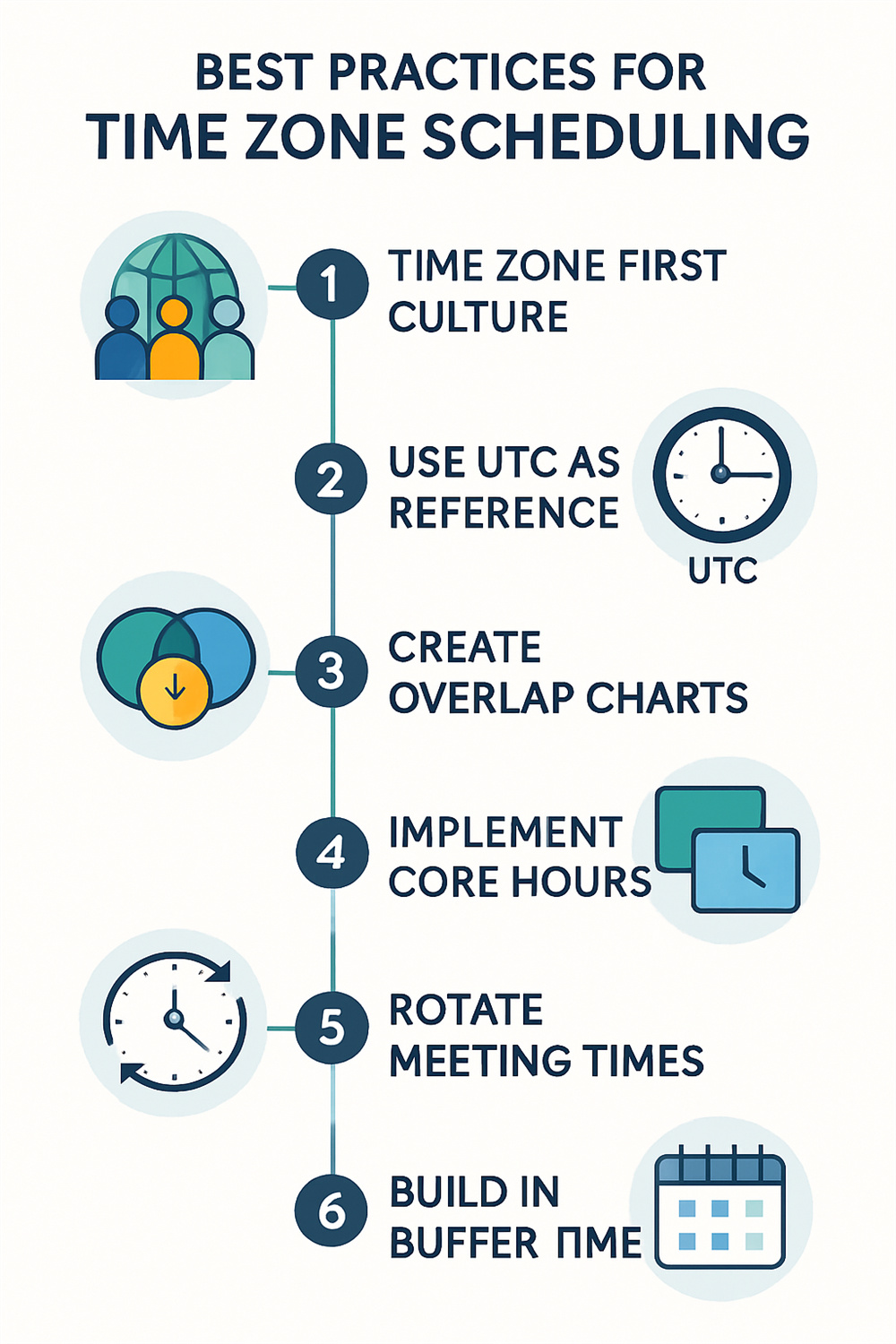
Now that you've got your tools sorted, let's talk strategy.
1. Establish a “Time Zone First” Culture
Make time zone awareness part of your team's DNA. This means:
- Including time zones in all email signatures
- Setting up Slack profiles with current local times
- Mentioning your time zone when introducing yourself
- Creating a team directory with everyone's locations and working hours
When time zone consciousness becomes automatic, mistakes decrease dramatically .
2. Use UTC as Your Universal Reference
Coordinated Universal Time (UTC) serves as the global standard that doesn't observe DST. When coordinating across multiple time zones, reference everything in UTC first, then convert to local times.
For example: “The meeting is at 14:00 UTC (10 AM EST, 3 PM CET, 11 PM JST)”
This eliminates ambiguity and provides a consistent reference point .
3. Create Time Zone Overlap Charts
Visual aids make scheduling infinitely easier. Create a chart showing:
- Team member names
- Their time zones
- Their typical working hours
- Overlapping time windows
You can use a simple spreadsheet or specialized tools like World Time Buddy to generate these views automatically .
4. Implement “Core Hours” for Global Teams
If your team spans multiple continents, establish core hours when everyone is expected to be available. This might be a 2-4 hour window that represents reasonable working hours across all time zones.
Outside these core hours, use asynchronous communication methods like recorded video updates, detailed written updates, or collaborative documents .
5. Rotate Meeting Times for Fairness
When working across extreme time zones (like U.S. and Asia), no single meeting time works well for everyone.
The solution? Rotate meeting times so the inconvenience is shared equally. One week, the meeting favors Asian time zones. The next week, it favors American time zones.
This demonstrates respect for everyone's personal time and prevents burnout from consistently joining meetings during off-hours .
6. Build in Buffer Time
Never schedule back-to-back meetings across time zones. If your calculation is off by even 30 minutes, you'll create conflicts and stress.
Build 15-30 minute buffers before and after cross-timezone meetings to account for potential confusion and late starts.
7. Document Everything
Don't rely on memory. Create written records of:
- Agreed-upon meeting times in multiple time zones
- Recording links for those who can't attend live
- Key decisions made during meetings
- Action items with clear deadlines (specified in each person's time zone)
This documentation creates accountability and ensures nothing falls through the cracks .
Time Zone Scheduling Data: What the Numbers Tell Us
Let's look at some concrete data about time zone challenges and their impacts:
| Challenge | Impact Rate | Difficulty Level | Reported Issues (%) | Average Resolution Time |
| Time Zone Coordination | 75% | Medium | 81% | 1-2 months |
| Daylight Saving Time Confusion | 40% | High | 67% | 2-3 weeks |
| Manual Calculation Errors | 53% | Medium | 72% | Immediate with tools |
| Meeting Participation Outside Work Hours | 62% | High | 89% | 4-6 months |
| Communication Delays | 68% | Medium | 78% | 2-3 months |
These statistics reveal that time zone coordination isn't just a minor inconvenience—it's a significant operational challenge that requires systematic solutions.
Advanced Strategies for Complex Scheduling Scenarios
Sometimes basic best practices aren't enough. Here are advanced techniques for complex situations:
Multi-Region Conference Calls
When scheduling calls with participants in 5+ time zones:
- Use What Is My TimeZone to identify everyone's current local time
- Create a visual chart showing all time zones simultaneously
- Identify the 2-3 hour window with the best overlap
- Send invitations with times listed for each participant's location
- Record the session for those in incompatible time zones
International Event Planning
For webinars, workshops, or conferences:
- Offer multiple sessions at different times to accommodate various regions
- Clearly display event times in multiple time zones on registration pages
- Send reminder emails 24 hours and 1 hour before, with time zone conversions
- Use countdown timers instead of fixed times (these automatically adjust to viewer's time zone)
Client Relationship Management
When working with international clients:
- Note their time zone in your CRM system
- Set your calendar to display their time zone when booking meetings
- Never schedule calls during their evenings or weekends without explicit permission
- Send agendas and materials in advance so they can review during their work hours
The Psychology of Time Zone Respect
Here's something often overlooked: Time zone scheduling isn't just about logistics—it's about respect and cultural intelligence.
When you consistently schedule meetings at inconvenient times for certain team members, you're sending a message about whose time matters most. This creates resentment, reduces engagement, and can lead to turnover .
Conversely, when you demonstrate time zone awareness, you show:
- Respect for people's personal time and work-life balance
- Cultural intelligence about global business practices
- Leadership by setting standards for inclusive collaboration
- Professionalism through attention to detail
These intangibles significantly impact team morale and productivity.
Quick Reference: Time Zone Scheduling Checklist
Use this checklist for every cross-timezone meeting you schedule:
- Identified all participants' time zones
- Used a reliable time zone converter (not manual calculation)
- Checked for upcoming DST changes
- Verified the meeting falls within reasonable working hours for all participants
- Sent invitations with times listed in each participant's local time zone
- Included UTC time as a universal reference
- Built in 15-30 minute buffer time
- Set up recording option for those who can't attend live
- Sent calendar invitations (which auto-convert time zones)
- Sent confirmation email 24 hours before with time zone conversions
- Prepared agenda and materials in advance
Tools Integration: Creating Your Time Zone Tech Stack
The most effective approach combines multiple tools into an integrated workflow:
- Daily Time Awareness: Start with “What Is My Time Zone” bookmarked for quick reference throughout your day .
- Meeting Scheduling: Use Calendly or similar tools for external meetings, ensuring automatic time zone detection .
- Team Coordination: Leverage Slack or Microsoft Teams with time zone display for internal communication .
- Calendar Management: Maintain your primary calendar in Google Calendar or Outlook with multiple time zone views enabled .
- Project Tracking: Use Asana or similar tools that timestamp activities and account for team members' locations .
When these tools work together, time zone management becomes nearly automatic.
Looking Forward: The Future of Time Zone Scheduling
As remote work continues to evolve, we're seeing interesting trends:
AI-Powered Scheduling: Emerging tools use artificial intelligence to suggest optimal meeting times based on historical patterns, participant preferences, and time zone considerations.
Virtual Time Zone Assistants: Chatbots that automatically handle time zone conversions in Slack, Teams, and other platforms.
Standardized Remote Work Protocols: Companies are developing formal policies around time zone respect and scheduling practices.
Increased Asynchronous Work: Recognition that not everything requires synchronous meetings, reducing the burden of time zone coordination .
Your Action Plan: Starting Today
Ready to transform your time zone scheduling? Here's what to do right now:
Immediate Actions (Today):
- Bookmark What Is My Time Zone for instant access
- Add your time zone to your email signature
- Update your Slack/Teams profile with your current location
This Week:
- Audit your upcoming meetings for time zone conflicts
- Create a team time zone directory
- Send time zone-specific confirmations for all scheduled meetings
This Month:
- Implement a time zone scheduling policy for your team
- Train team members on best practices
- Set up integrated tools (calendar, scheduler, converter)
- Establish core hours for global collaboration
Conclusion: Mastering the Art of Global Scheduling
Scheduling across time zones doesn't have to be a nightmare. With the right mindset, tools, and practices, it becomes second nature.
Remember these key principles:
- Never calculate manually — always use reliable converters
- Respect everyone's time — rotate inconvenient meeting times
- Communicate clearly — specify time zones in every communication
- Use technology wisely — automate what can be automated
- Document everything — create clear records of agreed times
The global workplace is here to stay. Teams will continue spanning continents, clients will remain scattered across time zones, and opportunities will arise from international collaboration.
By mastering cross-timezone scheduling now, you're not just avoiding mistakes—you're building a competitive advantage in an increasingly connected world.
Start with What Is My Time Zone to get your bearings, implement the checklist from this guide, and watch as time zone confusion transforms into seamless global coordination.
Your 3 AM wake-up call days are over. Welcome to stress-free international scheduling.


