The Top 13 Python Libraries Every Data Science Aspirant Must Master in 2026
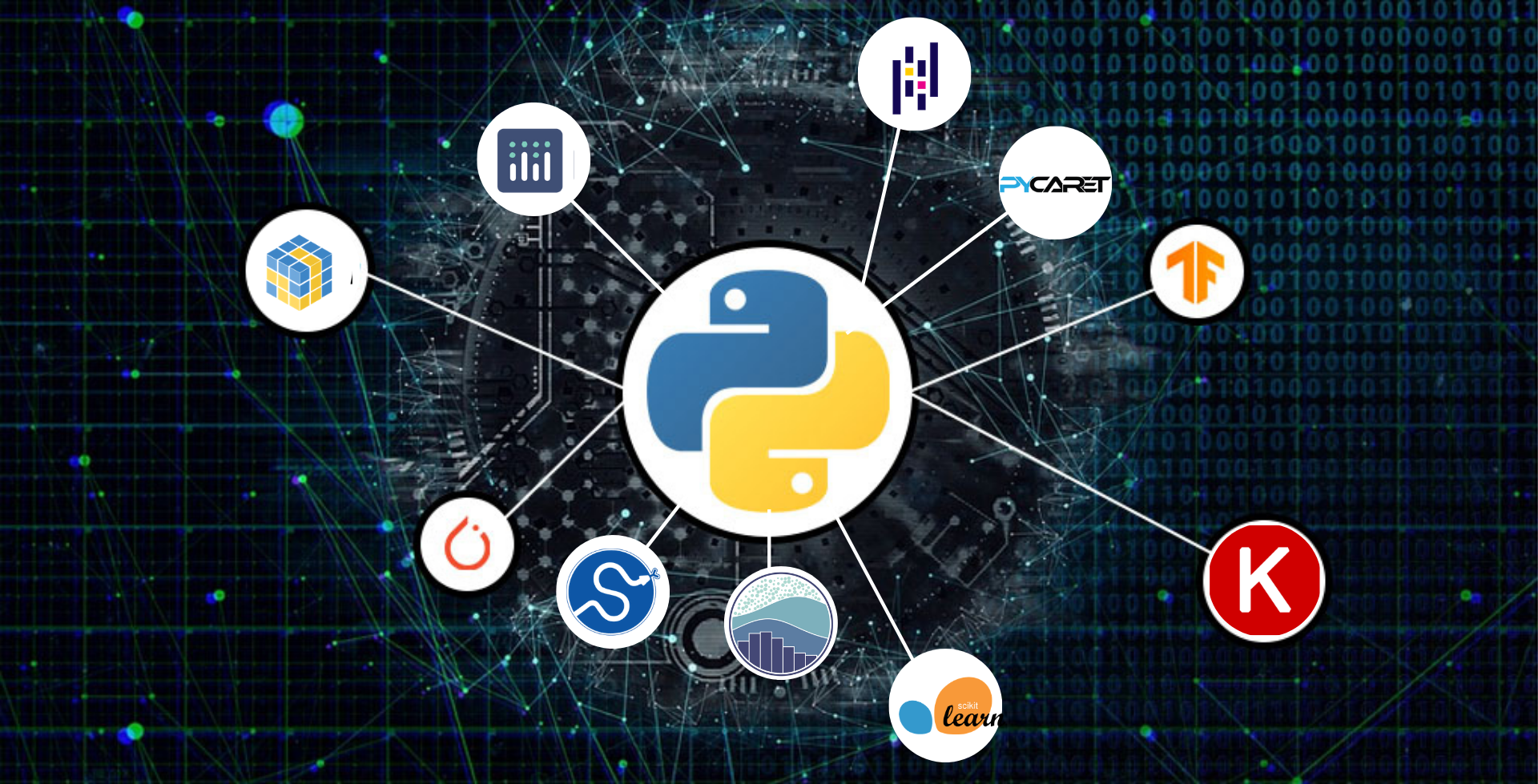
Python has firmly established itself as the programming language of choice for data science and machine learning. A major reason for Python‘s popularity in this domain is the wide variety of powerful open-source libraries it offers that dramatically simplify and accelerate the development of data science applications.
As an aspiring data scientist, navigating the landscape of Python libraries can be overwhelming. Which ones should you focus on learning first? Which are the most essential tools you‘ll need in your data science projects?
In this article, we‘ll highlight the top 13 Python libraries that every data science aspirant should master in 2024. We‘ll cover what each library does, why it‘s useful, and provide resources to help you get started. Consider this your comprehensive roadmap to building a robust data science toolkit with Python.
1. NumPy
NumPy is the fundamental library for numerical computing in Python. It provides support for large, multi-dimensional arrays and matrices, along with a collection of mathematical functions to operate on these arrays efficiently.
Data science often involves working with large datasets, and NumPy‘s ability to efficiently store and manipulate this data makes it an essential tool. Many other data science libraries like Pandas, SciPy, and Scikit-learn are built on top of NumPy arrays.
Some key features of NumPy include:
- Efficient storage of large arrays and matrices
- Wide variety of mathematical functions for array operations
- Enables vectorized computation for improved performance
- Offers tools for integrating C/C++ and Fortran code
- Provides random number capabilities
To get started with NumPy, check out the official quickstart tutorial: https://numpy.org/doc/stable/user/quickstart.html
2. Pandas
Pandas is the go-to library in Python for data manipulation and analysis. It provides high-performance, easy-to-use data structures, and tools for working with structured data.
The primary data structures in Pandas are the Series (1-dimensional) and DataFrame (2-dimensional) objects. These allow you to store and manipulate tabular data in rows and columns, similar to a spreadsheet. Pandas provides a wide range of functions for loading data, handling missing data, filtering, grouping, reshaping, merging datasets, and more.
Here are some of the key features of Pandas:
- Enables easy handling of missing data
- Provides tools for reading and writing data between in-memory data structures and different file formats
- Offers data alignment and integrated handling of missing data
- Supports merging and joining of datasets
- Provides label-based slicing, fancy indexing, and subsetting of large datasets
- Produces high-quality output for data analysis
If you‘re new to Pandas, the official 10 minutes to Pandas guide is a great place to start: https://pandas.pydata.org/pandas-docs/stable/user_guide/10min.html
3. Matplotlib
Matplotlib is the foundational library for scientific visualizations in Python. It enables you to create high-quality static, animated, and interactive visualizations.
With Matplotlib, you can generate plots, histograms, bar charts, scatterplots, errorcharts, power spectra, and many other types of visualizations with just a few lines of code. The library provides fine-grained control over every aspect of a figure, including the size, DPI, line widths, colors, axes, etc.
Some key features of Matplotlib include:
- Embeddable in Python GUIs for application development
- Exportable to many file formats
- Customizable with a range of third-party packages
- Supports PyQt/PySide, iPython/Jupyter, and web backends
- Integrates with many other Python libraries like NumPy and Pandas
To learn Matplotlib, work through the official tutorials: https://matplotlib.org/stable/tutorials/index.html
4. Seaborn
Seaborn is a statistical data visualization library built on top of Matplotlib. It provides a high-level interface for creating attractive and informative statistical graphics.
Seaborn simplifies many complicated Matplotlib concepts and makes it easy to generate certain common types of plots, like heatmaps, pairplots, and violin plots. It also comes with several built-in themes and color palettes to style your figures.
Here are some key features of Seaborn:
- Provides several built-in themes that improve on the default Matplotlib aesthetics
- Offers high-level functions to visualize univariate, bivariate, and multivariate relationships
- Enables visualization of linear regression models
- Supports automatic estimation and plotting of statistical functions
- Seamlessly integrates with NumPy and Pandas data structures
This tutorial provides a great introduction to Seaborn: https://seaborn.pydata.org/tutorial.html
5. Plotly
Plotly is a web-based toolkit for creating interactive visualizations. It provides a simple interface for creating sophisticated charts, including candlestick charts, dendrograms, 3D charts, and much more.
A major advantage of Plotly is that the resulting visualizations are web-based and interactive. Users can zoom, pan, hover to inspect individual data points, and more. The plots are also easy to share and can be embedded in web pages.
Some key features of Plotly include:
- Supports over 40 unique chart types
- Provides a simple, consistent interface for manipulating figures
- Enables creating sophisticated statistical charts like dendrograms, histograms, and 3D charts
- Offers Jupyter Notebook support for creating interactive plots
- Plots can be saved as static images in several formats
Check out the Plotly Python getting started guide here: https://plotly.com/python/getting-started/
6. SciPy
SciPy is a library for scientific and technical computing in Python. It builds on the NumPy array object and provides many user-friendly and efficient numerical routines, such as routines for numerical integration, interpolation, optimization, linear algebra, and statistics.
SciPy makes it possible to do advanced numerical computations with Python, bringing it closer to tools like MATLAB and R. It‘s particularly useful for scientific and engineering applications.
Some key features of SciPy include:
- Collection of numerical algorithms including optimization, linear algebra, integration, interpolation, FFT, signal and image processing, ODE solvers, and special functions
- Efficient numerical routines using NumPy
- Provides file input/output and sparse matrices capabilities
- Offers algorithms for optimization problems
- Enables manipulation and visualization of scientific data
The official SciPy tutorial is a good starting point: https://docs.scipy.org/doc/scipy/tutorial/index.html
7. Scikit-learn
Scikit-learn is perhaps the most popular library for machine learning in Python. It features various classification, regression and clustering algorithms including support vector machines, random forests, gradient boosting, k-means and DBSCAN, and is designed to interoperate with the Python numerical and scientific libraries NumPy and SciPy.
Scikit-learn provides a consistent interface to all its models, making it simple to swap different algorithms without changing your code. It also offers useful tools for model evaluation, feature selection, and hyperparameter tuning.
Some key features of Scikit-learn include:
- Wide selection of supervised and unsupervised learning algorithms
- Designed for interoperability with NumPy and SciPy
- Provides tools for model fitting, data preprocessing, model selection, and model evaluation
- Well-documented and easy to use
- Widely used in industry and academia
The official Scikit-learn tutorials are an excellent resource: https://scikit-learn.org/stable/tutorial/index.html
8. TensorFlow
TensorFlow is an end-to-end open-source platform for machine learning developed by Google. It has a comprehensive, flexible ecosystem of tools, libraries, and community resources that lets researchers push the state-of-the-art in ML and developers easily build and deploy ML-powered applications.
TensorFlow provides stable Python APIs, and also has APIs available in several other languages. Whether you‘re a beginner or an expert, TensorFlow has resources to help you get started and develop your machine learning skills.
Here are some key features of TensorFlow:
- Offers high-level Keras API for quick model design and training
- Provides eager execution for immediate iteration and intuitive debugging
- Includes a suite of tools for model understanding and optimization
- Supports deployment to a wide variety of devices and platforms
- Offers robust performance for training and inference
Get started with TensorFlow using the official tutorials: https://www.tensorflow.org/tutorials
9. PyTorch
PyTorch is an open-source machine learning library based on Torch, used for applications such as computer vision and natural language processing. It is primarily developed by Facebook‘s AI Research lab.
PyTorch is known for being easy to use and having a gentle learning curve. It provides two high-level features: Tensor computing (like NumPy) with strong acceleration via graphics processing units (GPUs) and deep neural networks built on a tape-based autodiff system.
Some key features of PyTorch include:
- Offers dynamic computational graphs that allow for changes to the architecture during runtime
- Provides a rich ecosystem of tools and libraries
- Supports distributed training
- Enables eager mode for immediate feedback and fast debugging
- Seamlessly integrates with Python data science stack
The official PyTorch tutorials provide a great starting point: https://pytorch.org/tutorials/
10. Keras
Keras is a high-level neural networks API, written in Python and capable of running on top of TensorFlow, Microsoft Cognitive Toolkit, R, Theano, or PlaidML. It was developed with a focus on enabling fast experimentation.
Keras is designed to be user-friendly, modular, and extensible. It provides a simple way to define and train almost any kind of deep learning model. Keras follows best practices for reducing cognitive load, offering consistent & simple APIs, and minimizing the number of user actions required for common use cases.
Here are some key features of Keras:
- Supports convolutional networks, recurrent networks, and their combinations
- Provides a simple way to define complex models with the Model class
- Offers a wide variety of built-in neural network layers
- Includes several optimizers, loss functions, and evaluation metrics
- Enables easy saving and loading of models
Check out the official Keras getting started guide: https://keras.io/getting_started/
11. NLTK
The Natural Language Toolkit (NLTK) is a leading platform for building Python programs to work with human language data. It provides easy-to-use interfaces to over 50 corpora and lexical resources such as WordNet, along with a suite of text processing libraries for classification, tokenization, stemming, tagging, parsing, and semantic reasoning.
NLTK is widely used for teaching and research in natural language processing (NLP). It includes graphical demonstrations and sample data sets, as well as extensive documentation.
Some key features of NLTK include:
- Provides a suite of text processing libraries
- Offers easy-to-use interfaces to over 50 corpora and lexical resources
- Includes a book and cookbook with extensive documentation and examples
- Supports classification, tokenization, stemming, tagging, parsing, and semantic reasoning
- Integrates well with other Python libraries for advanced analysis
The NLTK book is a great resource for getting started: https://www.nltk.org/book/
12. OpenCV
OpenCV (Open Source Computer Vision Library) is an open-source computer vision and machine learning software library. It provides a common infrastructure for computer vision applications and accelerates the use of machine perception in commercial products.
OpenCV has C++, Python, Java, and MATLAB interfaces and supports Windows, Linux, Android, and Mac OS. It is designed for computational efficiency and with a strong focus on real-time applications.
Here are some key features of OpenCV:
- Provides tools for image and video processing
- Offers object detection and recognition capabilities
- Includes machine learning algorithms for classification and clustering
- Enables real-time operation for time-critical applications
- Supports acceleration with optimized C/C++ code and hardware acceleration
The official OpenCV tutorials are a great place to start: https://docs.opencv.org/master/d9/df8/tutorial_root.html
13. NetworkX
NetworkX is a Python package for the creation, manipulation, and study of the structure, dynamics, and functions of complex networks. It provides data structures for representing many types of networks or graphs, along with a large collection of standard graph algorithms.
NetworkX is widely used for studying social networks, information networks, biological networks, and infrastructure networks. It integrates well with other Python libraries for analysis and visualization.
Some key features of NetworkX include:
- Provides tools for studying structure and dynamics of social, biological, and infrastructure networks
- Offers many standard graph algorithms for network analysis
- Enables work with large complex networks
- Supports many common and exotic graph algorithms
- Integrates well with existing Python libraries like NumPy, SciPy, and Matplotlib
Check out the NetworkX tutorial for an introduction: https://networkx.org/documentation/stable/tutorial.html
Conclusion
There you have it – the top 13 Python libraries every data science aspirant should master in 2024. These libraries form a comprehensive toolkit that covers all the key aspects of data science, from data manipulation and visualization to machine learning and deep learning.
As a data science aspirant, your journey with these libraries will be ongoing. Start by gaining a basic understanding of each library and how it fits into the data science workflow. Then, as you work on projects and encounter specific challenges, dive deeper into the relevant libraries.
Remember, the field of data science is constantly evolving, and new libraries are emerging all the time. While the libraries covered in this article are likely to remain relevant for years to come, it‘s important to stay curious and keep exploring.
The beauty of the Python data science ecosystem is that it‘s open-source and community-driven. As you grow in your data science journey, you might even find yourself contributing to these libraries or creating your own.
So go forth, immerse yourself in these libraries, and start building your data science skills. The future is bright for data science, and with Python in your toolkit, you‘ll be well-equipped to make your mark in this exciting field.