Understanding Robotics with Python: A Comprehensive Guide
Introduction
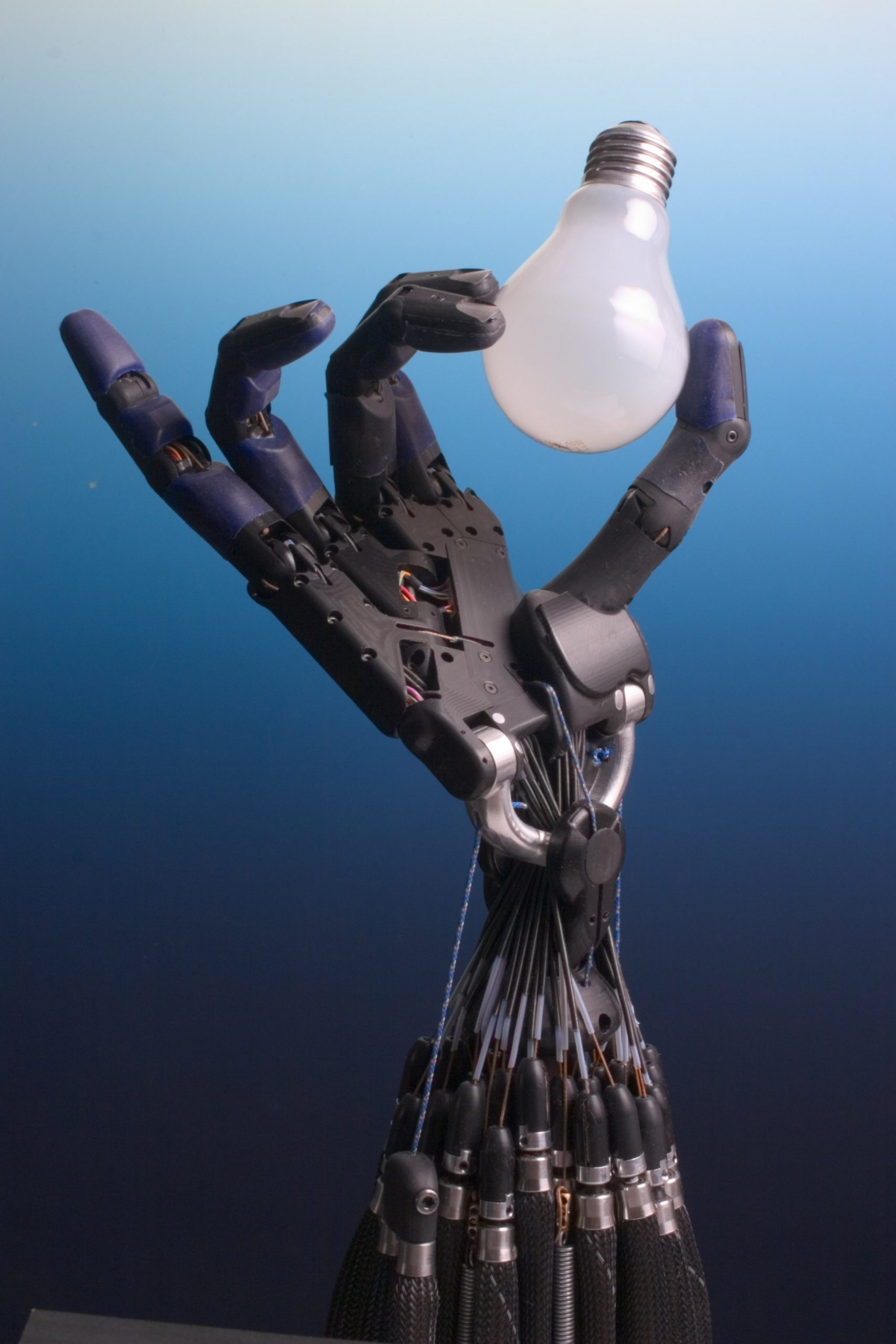
Robotics has become an integral part of our modern world, revolutionizing industries and transforming the way we live and work. From manufacturing and healthcare to space exploration and beyond, robots are increasingly being employed to perform complex tasks with precision and efficiency. As the field of robotics continues to evolve, programming plays a crucial role in bringing these machines to life. In this comprehensive guide, we will explore the fascinating world of robotics using Python, one of the most popular and versatile programming languages for robotics.
Python Libraries and Frameworks for Robotics
Python offers a wide range of libraries and frameworks specifically designed for robotics, making it easier for developers to build and control robotic systems. Let‘s take a closer look at some of the most popular ones:
Robot Operating System (ROS)
ROS is an open-source framework that provides a set of tools, libraries, and conventions for developing robot software. It follows a modular architecture, allowing different components of the robot (nodes) to communicate through a publish-subscribe messaging system (topics). ROS supports Python through its client library, rospy, enabling developers to create and interact with ROS nodes, publish and subscribe to topics, and utilize various ROS services.
Example: Subscribing to a laser scan topic and publishing velocity commands
import rospy
from sensor_msgs.msg import LaserScan
from geometry_msgs.msg import Twist

def laser_callback(msg):
    # Process laser scan data and generate velocity commands
    # ...
    velocity_pub.publish(vel_cmd)

rospy.init_node(‘laser_scanner‘)
laser_sub = rospy.Subscriber(‘/scan‘, LaserScan, laser_callback)
velocity_pub = rospy.Publisher(‘/cmd_vel‘, Twist, queue_size=10)
rospy.spin()
PyBullet
PyBullet is a Python module that provides a physics engine and robotics framework for simulation and machine learning. It allows developers to create and simulate robots, environments, and physical interactions using a simple and intuitive API. PyBullet supports various robot models, sensors, and actuators, making it suitable for tasks such as robot control, path planning, and reinforcement learning.
Example: Loading a robot model and applying joint controls
import pybullet as p
import time

# Connect to the PyBullet physics server
physicsClient = p.connect(p.GUI)

# Load the robot model
robot = p.loadURDF("robot.urdf")

# Get the joint information
joint_info = p.getJointInfo(robot, 0)

# Set the joint position
p.setJointMotorControl2(robot, 0, p.POSITION_CONTROL, targetPosition=1.0)

# Simulate for a few steps
for _ in range(100):
    p.stepSimulation()
    time.sleep(1./240.)

# Disconnect from the physics server
p.disconnect()
Pybricks
Pybricks is a Python library for programming LEGO® Mindstorms® robots. It provides a high-level interface for controlling motors, sensors, and other hardware components of LEGO robots. Pybricks supports both the EV3 and the newer SPIKE Prime and Robot Inventor platforms, making it accessible to beginners and experienced users alike.
Example: Moving a robot forward and detecting obstacles
from pybricks.hubs import EV3Brick
from pybricks.ev3devices import Motor, UltrasonicSensor
from pybricks.parameters import Port

# Initialize the EV3 brick
ev3 = EV3Brick()

# Initialize the motors and ultrasonic sensor
left_motor = Motor(Port.B)
right_motor = Motor(Port.C)
obstacle_sensor = UltrasonicSensor(Port.S4)

# Move the robot forward until an obstacle is detected
while obstacle_sensor.distance() > 500:
    left_motor.run(500)
    right_motor.run(500)

# Stop the motors when an obstacle is detected
left_motor.stop()
right_motor.stop()
Machine Learning in Robotics using Python
Machine learning has become increasingly important in robotics, enabling robots to perceive, learn, and make decisions based on data. Python provides a rich ecosystem of libraries and frameworks for machine learning, making it a popular choice for implementing intelligent robotic systems.
Perception and Computer Vision
Computer vision plays a crucial role in enabling robots to understand and interact with their environment. Python libraries like OpenCV and TensorFlow offer powerful tools for image processing, object detection, and recognition.
Example: Detecting objects using TensorFlow and OpenCV
import cv2
import tensorflow as tf

# Load the pre-trained object detection model
model = tf.saved_model.load(‘path/to/model‘)

# Load the input image
image = cv2.imread(‘input_image.jpg‘)

# Preprocess the image
input_tensor = tf.convert_to_tensor(image)
input_tensor = input_tensor[tf.newaxis, ...]

# Run the inference
detections = model(input_tensor)

# Process the detections
# ...

# Display the result
cv2.imshow(‘Object Detection‘, image)
cv2.waitKey(0)
cv2.destroyAllWindows()
Reinforcement Learning for Robot Control
Reinforcement learning (RL) is a popular approach for training robots to perform tasks through trial and error. Python libraries like TensorFlow and PyTorch provide tools for implementing RL algorithms, such as Q-learning and policy gradients.
Example: Training a robot arm using Q-learning
import numpy as np
import gym

# Create the environment
env = gym.make(‘FetchReach-v1‘)

# Initialize the Q-table
q_table = np.zeros((num_states, num_actions))

# Training loop
for episode in range(num_episodes):
    state = env.reset()
    done = False
    while not done:
        # Choose an action based on the current state
        action = np.argmax(q_table[state])

        # Execute the action and observe the next state and reward
        next_state, reward, done, _ = env.step(action)

        # Update the Q-value for the current state-action pair
        q_table[state, action] = (1 - alpha) * q_table[state, action] + alpha * (reward + gamma * np.max(q_table[next_state]))

        state = next_state

# Evaluate the trained policy
# ...
Interfacing with Robot Hardware using Python
Python provides libraries and tools for interfacing with various robot sensors and actuators, enabling developers to control and communicate with robot hardware.
Controlling Motors and Servos
Python can be used to control motors and servos through PWM (Pulse Width Modulation) signals or by communicating with motor drivers and controllers.
Example: Controlling a servo motor using the Adafruit PCA9685 library
from adafruit_pca9685 import PCA9685
import time

# Initialize the PCA9685 board
pca = PCA9685()

# Set the PWM frequency
pca.frequency = 50

# Define the servo channel and range
servo_channel = 0
servo_min = 150
servo_max = 600

# Set the servo position
def set_servo_position(position):
    duty_cycle = int(servo_min + (servo_max - servo_min) * position / 100)
    pca.channels[servo_channel].duty_cycle = duty_cycle

# Example usage
set_servo_position(0)  # Move to 0 degrees
time.sleep(1)
set_servo_position(90)  # Move to 90 degrees
time.sleep(1)
set_servo_position(180)  # Move to 180 degrees
Reading Sensor Data
Python can interface with various sensors, such as encoders, IMUs, and distance sensors, to gather data about the robot‘s environment and state.
Example: Reading data from an MPU6050 IMU sensor using the mpu6050-raspberrypi library
from mpu6050 import mpu6050
import time

# Initialize the MPU6050 sensor
sensor = mpu6050(0x68)

# Read and print the accelerometer and gyroscope data
while True:
    accelerometer_data = sensor.get_accel_data()
    gyroscope_data = sensor.get_gyro_data()

    print("Accelerometer:")
    print("X: {:.2f}, Y: {:.2f}, Z: {:.2f}".format(accelerometer_data[‘x‘], accelerometer_data[‘y‘], accelerometer_data[‘z‘]))
    print("Gyroscope:")
    print("X: {:.2f}, Y: {:.2f}, Z: {:.2f}".format(gyroscope_data[‘x‘], gyroscope_data[‘y‘], gyroscope_data[‘z‘]))

    time.sleep(0.5)
Simulation and Visualization
Simulation and visualization are essential tools in robotics, allowing developers to test and debug their algorithms and designs in a safe and controlled environment. Python provides libraries and frameworks for simulating and visualizing robotic systems.
Gazebo and ROS Integration
Gazebo is a popular open-source robotics simulator that can be integrated with ROS using the gazebo_ros package. This enables developers to simulate robots, environments, and sensors in a realistic 3D world.
Example: Launching a Gazebo simulation with a robot model using a ROS launch file
<launch>
  <!-- Launch the Gazebo simulator -->
  <include file="$(find gazebo_ros)/launch/empty_world.launch">
    <arg name="world_name" value="$(find mypackage)/worlds/myworld.world"/>
  </include>

  <!-- Spawn the robot model in Gazebo -->
  <param name="robot_description" command="$(find xacro)/xacro ‘$(find mypackage)/urdf/myrobot.urdf.xacro‘"/>
  <node name="spawn_urdf" pkg="gazebo_ros" type="spawn_model" args="-param robot_description -urdf -model myrobot"/>

  <!-- Launch the robot control nodes -->
  <node name="robot_control" pkg="mypackage" type="robot_control.py" output="screen"/>
</launch>
Matplotlib and Plotly for Data Visualization
Python libraries like Matplotlib and Plotly provide powerful tools for visualizing robot data, such as sensor readings, trajectories, and performance metrics.
Example: Visualizing robot trajectory using Matplotlib
import matplotlib.pyplot as plt

# Assuming x and y are lists containing the robot‘s position coordinates
plt.plot(x, y, ‘b-‘, linewidth=2)
plt.xlabel(‘X‘)
plt.ylabel(‘Y‘)
plt.title(‘Robot Trajectory‘)
plt.grid(True)
plt.show()
Real-World Case Studies and Projects
To solidify your understanding of robotics with Python, let‘s explore some real-world case studies and projects:
Autonomous Mobile Robot Navigation
Researchers at the University of Washington developed an autonomous mobile robot using Python and ROS for indoor navigation. The robot utilized a LiDAR sensor for obstacle detection and mapping, and employed techniques like adaptive Monte Carlo localization (AMCL) and the dynamic window approach (DWA) for localization and path planning.
Robotic Arm Control and Object Manipulation
A team at the University of Cambridge built a robotic arm system using Python and ROS for object manipulation tasks. The system integrated computer vision techniques for object recognition and pose estimation, and used motion planning algorithms like rapidly-exploring random trees (RRT) for generating collision-free trajectories.
Swarm Robotics and Multi-Robot Coordination
Researchers at the University of Southern California implemented a swarm robotics system using Python and ROS for coordinating multiple robots in a distributed manner. The system employed algorithms like consensus and flocking for achieving cooperative behaviors among the robots.
These case studies demonstrate the practical applications of Python in real-world robotics projects, showcasing its versatility and effectiveness in building complex robotic systems.
Conclusion
Python has emerged as a powerful and versatile language for robotics, offering a rich ecosystem of libraries, frameworks, and tools for building intelligent and autonomous robotic systems. By leveraging the capabilities of Python, developers can create robotic applications that perceive, learn, and interact with the environment in sophisticated ways.
This comprehensive guide has explored various aspects of robotics with Python, including popular libraries and frameworks, machine learning techniques, hardware interfacing, simulation and visualization, and real-world case studies. By understanding and applying these concepts, you can embark on an exciting journey of creating innovative robotic solutions that push the boundaries of what is possible.
As the field of robotics continues to evolve, Python will undoubtedly play a significant role in shaping its future. With its simplicity, flexibility, and extensive community support, Python empowers developers to build robots that are more intelligent, adaptable, and capable than ever before.
So, whether you are a beginner just starting out in robotics or an experienced developer looking to expand your skills, embracing Python will open up a world of possibilities. Start exploring, experimenting, and creating with Python in robotics today, and be a part of the exciting future that lies ahead!