
Best AI Video Beauty Filter (2026): Filmora Review & Tutorial
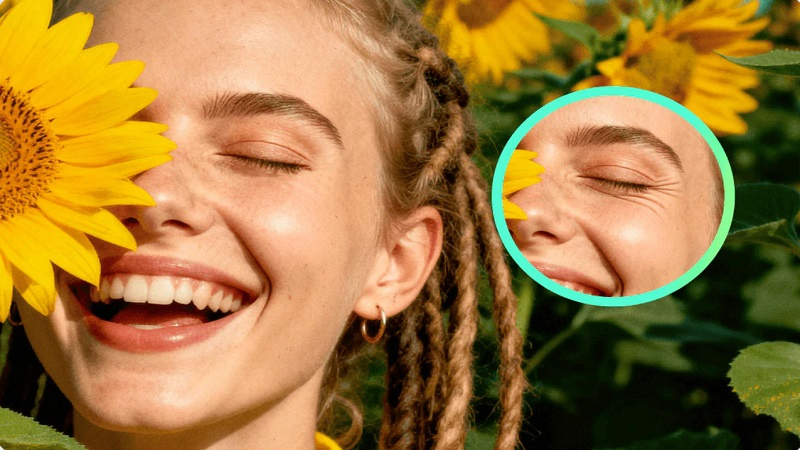
Searching for the best AI video beauty filter in 2025? Read our honest Filmora AI Beauty Filter review and tutorial to see natural, tested results on real footage.
If presentation is key in 2025, finding the best AI video beauty filter is essential for everyone—from educators to professionals. The challenge is achieving a natural, polished look without heavy makeup or fake-looking software.
In this smart review and tutorial, we test Filmora’s AI Video Beauty Filter to see how its quick, subtle enhancements can help you look camera-ready in minutes and meet the high expectations of the 2025 digital landscape.
Part 1: AI Video Beauty Filters in 2025: Why They Are Essential for Creators
Beauty filters have evolved dramatically. Early versions relied on heavy blur effects and skin masking, often making people look flat and overly edited. AI changed that.
Now, beauty filters use intelligent detection and adaptive correction to match real lighting, natural texture, and unique facial features.

This shift is fueled by major digital trends:
- Remote work becoming permanent: More meetings, presentations, and video communication
- Short-form content growth: TikTok, Reels, and Shorts reward consistent creators
- Personal branding: Audiences expect clarity, quality, and authenticity
With so many tools available, choosing the right AI beauty solution matters. A good filter shouldn’t replace your identity; it should enhance clarity, confidence, and presence without drawing attention to itself.
Part 2: Meet Filmora’s Video Beauty Filter: What It Is & Who It’s For
Filmora's AI Beauty Filter is ideal for creators seeking to enhance their appearance in a natural way without having to go through complicated editing. In contrast to one-tap filters that may hugely change the look of a face, Filmora makes use of gentle corrections: tone adjustment, slight brightening, smoothing, and balance.
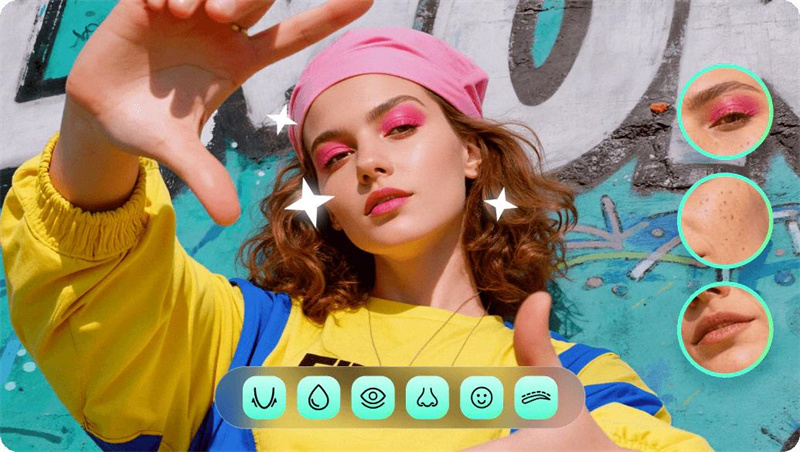
Based on its design and feature set, it’s ideal for:
- Vloggers & YouTubers who want consistent on-screen presence
- Professionals & educators recording webinars, tutorials, and online courses
- Streamers & online coaches who need a refreshed look during live sessions
If you want a clean, polished finish with minimal setup, Filmora’s ai beauty filter fits seamlessly into modern video workflows.
Part 3: Filmora AI Beauty Filter Review: Tested Results on Real Footage and Natural Light
To understand how well Filmora’s AI Beauty Filter performs, we tested it using a realistic setup: natural window lighting, no makeup, no ring light, and no additional editing. The goal was simple — see how the filter behaves in everyday recording conditions rather than in a studio-controlled environment.

Before applying the filter:
- Skin tone looked uneven on camera
- Mild texture and under-eye shadows were noticeable
- Lighting made certain areas appear flat or slightly dull
After Filmora’s AI Beauty Filter:
- Skin smoothing appeared subtle and natural, not overly airbrushed
- Tone and exposure looked more even, especially around the cheeks and forehead
- Eyes and smile appeared slightly brighter, creating a more rested expression
- Overall, the video still looked like “real skin,” just more polished and consistent
The best part is the real-time preview, which makes it easy to adjust intensity before recording or exporting. This avoids the common issue of filters looking great in the editor but artificial once exported.
You can try the same setup using Filmora’s ai beauty filter to see how subtle adjustments shape your on-screen presence.
Part 4: Filmora’s Key AI Features: Going Beyond Simple Skin Smoothing
Filmora doesn’t rely on a single beauty effect. Instead, it combines several AI-driven tools to create natural, balanced enhancement.

- Smart Skin Smoothing & Blemish Control: Softens texture while keeping pores and details visible.
- AI Teeth Whitening & Eye Brightening: Subtle adjustments that lift expression without looking edited.
- Real-Time Face Shape Refinement: Subtle contour-type changes that highlight facial symmetry instead of changing the face.
By using these features, people can have a neat and camera-ready look with a natural effect at the same time, which makes Filmora’s AI Beauty Filter a great tool for both informal and professional content.
Part 5: Pros & Cons — Honest Verdict
No tool is perfect, and Filmora’s AI Beauty Filter is no exception. The biggest strength is how natural the results look, especially for casual recordings, tutorials, and short-form videos. The interface is straightforward, changes are intuitive, and the live preview helps to keep the filtering at a reasonable level.
Pros:
- Natural-looking enhancement
- Beginner-friendly controls
- Works well with webcam and phone footage
Cons:
- Results depend on lighting quality
- Advanced editors may want deeper manual controls
Overall, it’s one of the most balanced and practical beauty filters available today, especially for fast, professional-looking content.
Conclusion
With the rise of video as the primary form of communication and branding, tools that give the impression of creators being confident and polished are progressively becoming a must-have rather than an option.
Filmora’s AI Beauty Filter stands out because it enhances without replacing your natural features, giving you a clean, realistic on-camera presence in minutes. For anyone recording frequently or building a digital identity, it offers a practical balance of speed, control, and subtle results.
If you are ready to use the best AI video beauty filter to elevate your digital presence, download Filmora today. Experience the difference of the Filmora AI Beauty Filter and integrate it seamlessly into your workflow.


:%20Filmora%20Review%20&%20Tutorial)